Sharing threads
Share a conversation with your team so they can see the exchange and the work the agent did — handy for handing off, getting a second opinion, or keeping a record.
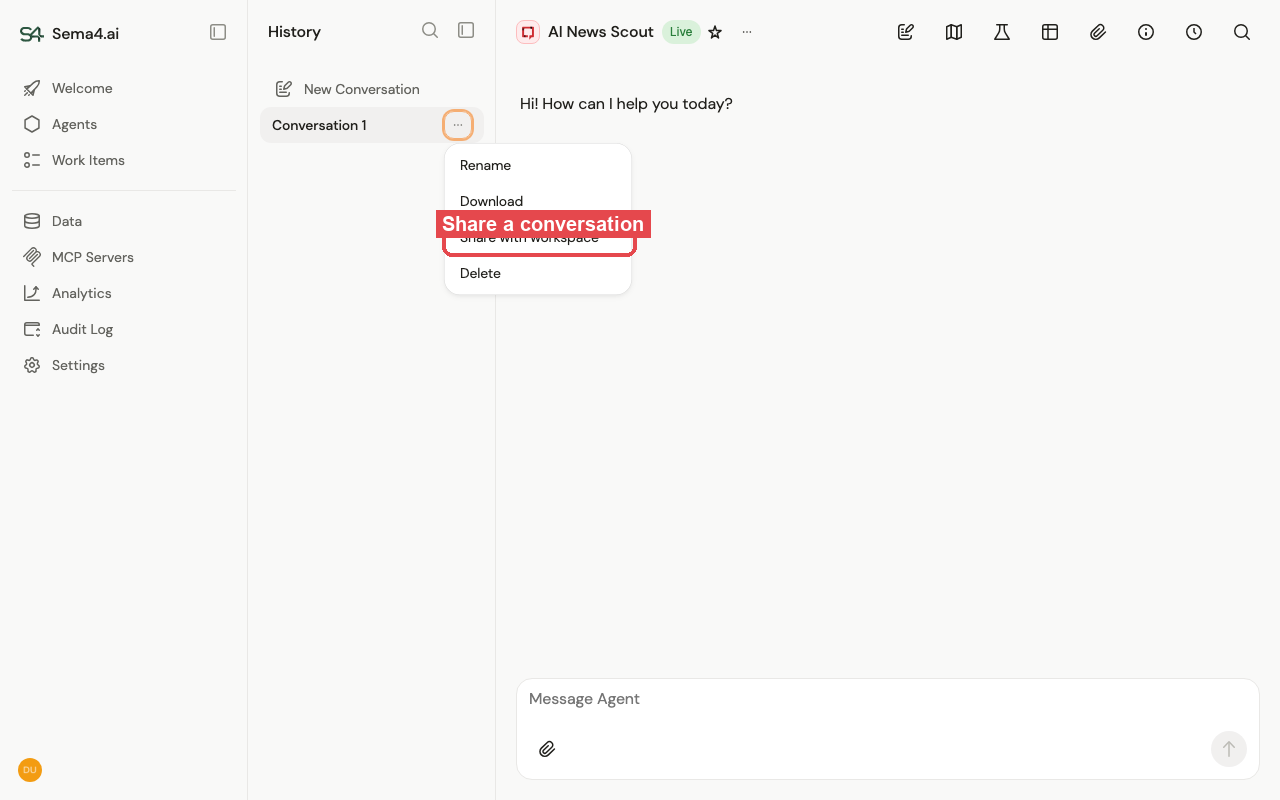
Open the thread actions menu (the ⋯ on a conversation in the History list) and choose Share with workspace.
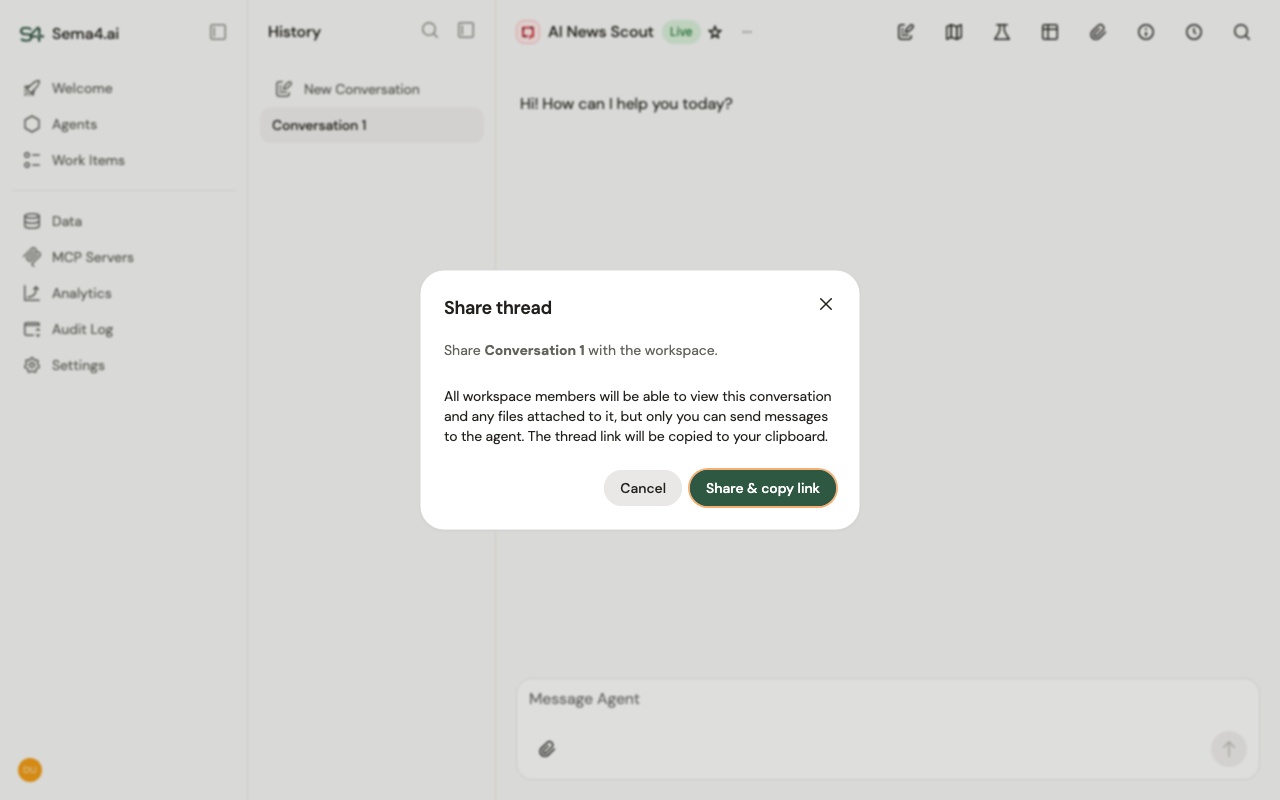
Confirm, and the thread link is copied to your clipboard to send to colleagues.
Once shared:
- All workspace members can view the conversation and any files attached to it.
- Only you can send messages to the agent in that thread — everyone else sees it read-only.
- You can Copy link again or Unshare at any time from the same menu.