Advanced Configuration
Advanced configuration settings allow operators to fine-tune agent behavior at scale. Under normal operation, these settings should remain at their default values. Only adjust them when you encounter specific performance or resource issues.
You must have an Administrator role in the workspace to modify these settings.
Access configuration settings
Navigate to your Work Room, select the workspace from the dropdown menu at the top left corner, then click Configuration from the left navigation menu.
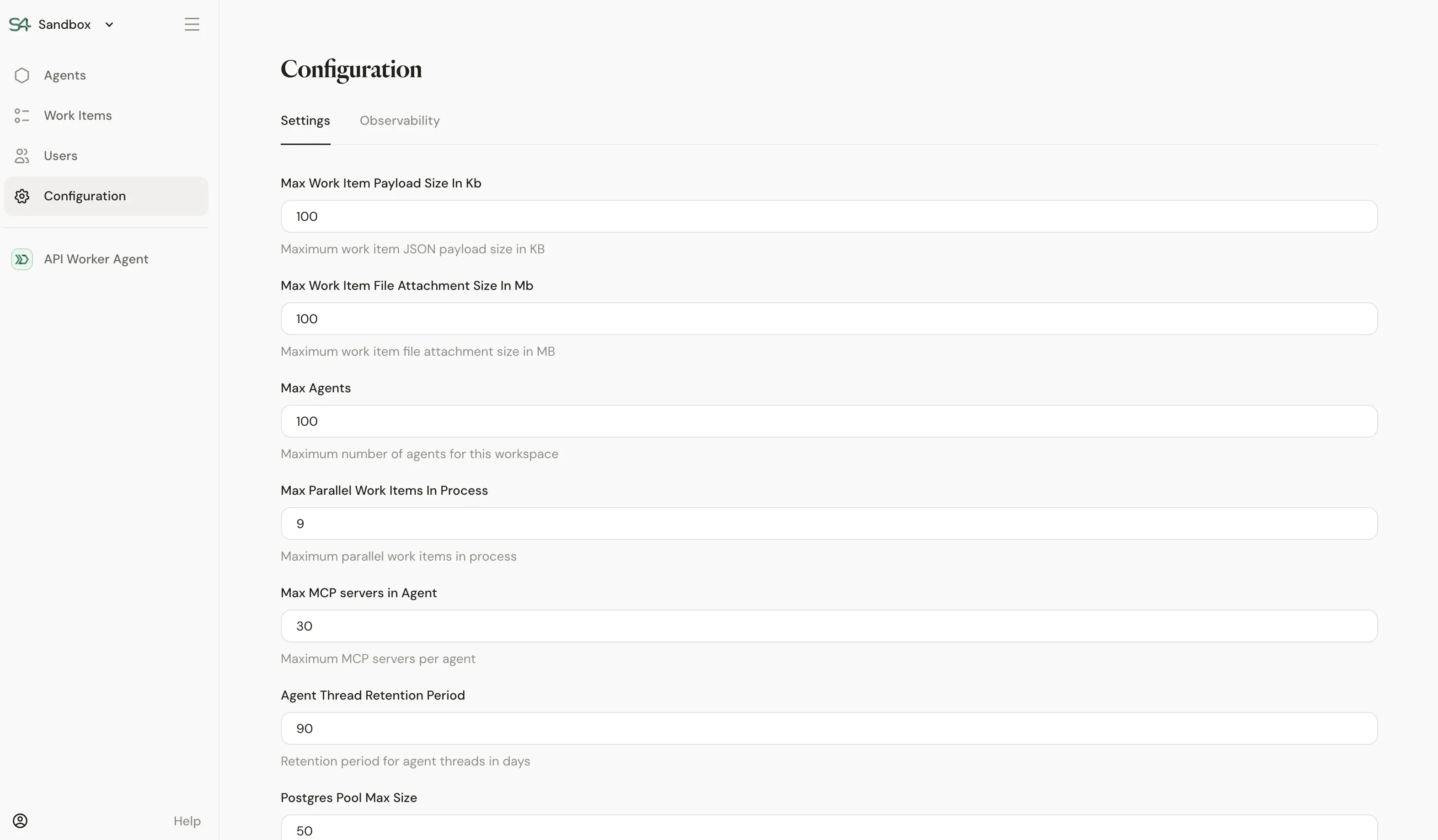
Available settings
Max Work Item Payload Size In KB
Maximum size for work item JSON payloads in kilobytes. Increase this value if your worker agents need to process larger structured data payloads.
Max Work Item File Attachment Size In MB
Maximum size for file attachments on work items in megabytes. Adjust when agents need to handle larger documents or media files.
Max Agents
Maximum number of agents allowed in the workspace. Increase this limit when you need to deploy additional agents beyond the default capacity.
Max Parallel Work Items In Process
Maximum number of work items that can be processed simultaneously. Tune this setting based on your infrastructure capacity and workload patterns.
Max MCP Servers in Agent
Maximum number of MCP (Model Context Protocol) servers that can be configured per agent. Raise this limit if your agents require connections to many external services.
Agent Thread Retention Period
Number of days to retain agent conversation threads. After this period, threads are automatically cleaned up. Adjust based on your compliance and storage requirements.
Postgres Pool Max Size
Maximum number of connections in the PostgreSQL connection pool. Increase this value if you observe database connection bottlenecks under heavy load.
Modifying these settings without understanding their impact can affect agent performance and stability. Only change values when troubleshooting specific issues or when advised by Sema4.ai support.