Data sources
Connect the databases and warehouses your Projects query. The Data Sources page (/data) has up to three tabs: Catalog (the providers you can connect), Connected (the data sources your workspace has set up), and Profiles (Snowflake profiles, workspace admins only).
Audience: IT (the enabler), workspace admins, and team admins
Who can manage data sources
Workspace admins and the current active team's admin can connect data sources. Non-admins see a hard-block surface naming the admins who can help.
Where new connections land. New data sources land in the active team. Snowflake profiles remain workspace-wide. The page subtitle calls this out for the people who can see it.
Supported providers
The Catalog ships ten provider connectors. Each has its own connection form with provider-specific fields.
| Provider | Category | Sign-in methods |
|---|---|---|
| Snowflake | Cloud warehouse | OAuth (directly or through a workspace Snowflake profile), key pair, access token |
| Postgres | Relational database | Password |
| TimescaleDB | Time-series database | Password |
| BigQuery | Serverless warehouse | Service account |
| Databricks | Lakehouse SQL | Token, OAuth machine-to-machine |
| Redshift | Cloud warehouse | Password, IAM |
| MySQL | Relational database | Password |
| ClickHouse | Columnar analytics | Password |
| Microsoft SQL Server | Enterprise database | Password, Entra service principal, OAuth |
| Oracle | Enterprise database | Password |
Snowflake has a dedicated dialog and the additional Profiles tab. The other nine share a composer pattern: pick the provider on the Catalog tab, fill the provider-specific form, save.
Check a connected source
The Connected tab counts your connections, how many are still being read, and how many are ready to query. Select a source to open its details.
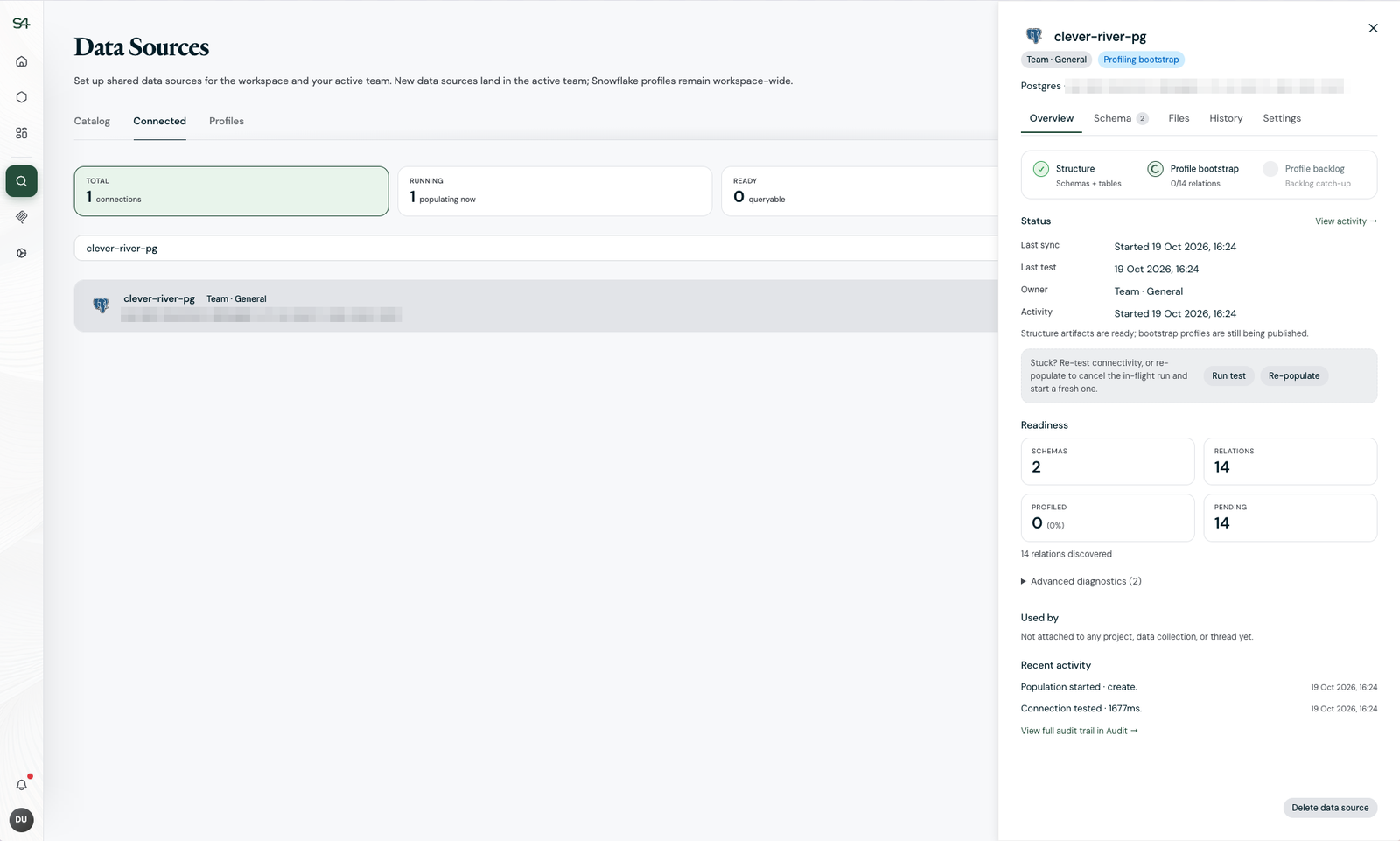
After you connect a source, the platform reads its structure first, then profiles each table in the background. Overview shows that progress, the last sync and test, and Readiness: how many schemas and tables were discovered and how many are profiled. If a source looks stuck, Run test checks the connection again and Re-populate starts a fresh read.
-
Schema lists every table with its column and row counts and its profiling status.
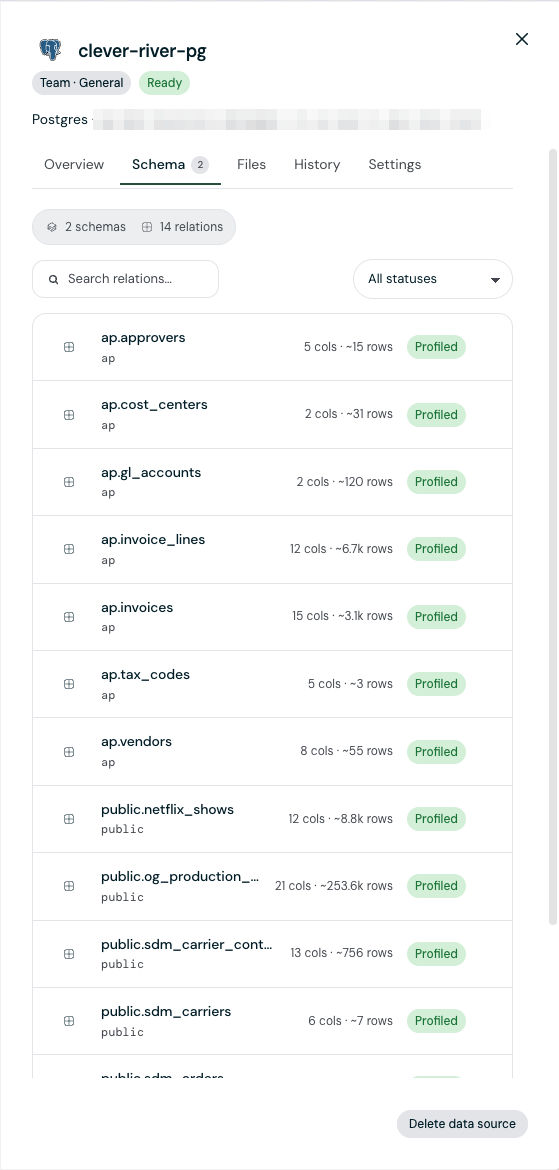
The Schema tab: each table with its column and row counts, marked Profiled -
History and Recent activity show what happened to the source, with a link to the full trail in Audit.
-
Used by lists the Projects that attached the source.
-
Delete data source removes it from the workspace.
What Projects can do with a source
Connecting a source does not give any Project access to it. A Project owner or administrator attaches the source to a Project and chooses which tables it sees, and which of those it may change: add, update, or delete rows, either through approved verified queries or directly. New attachments start read only.
The credentials you connect with are always the upper limit: no Project can do more than the connection's own database role allows. Connect with a least-privilege role, and grant write privileges only when a Project's work genuinely needs to change data. For actions outside a database, such as sending email, use an integration.
See How the agent uses your data for what the agent does with an attached source.