Maintenance procedures
The Sema4.ai native app installs a set of administrative procedures in its maintenance schema. Use them to:
- Manage compute cost — suspend the app's services when it isn't needed and resume them later.
- Back up and restore data — take point-in-time snapshots of the app's data and restore them.
This page also covers debugging and reporting issues: finding the app's logs in Snowsight and reporting issues from the app.
All maintenance procedures require the SEMA4AI_APP_ADMIN application role. Users with other roles cannot call them.
Replace <app_name> in the examples below with the name of your installed application.
Managing compute cost
The app runs its services on a Snowflake compute pool. When the app is not in use, suspend its services to stop compute billing, then resume them before you need the app again — for example, to spin the app down over the weekend.
-- Suspend all services. The compute pool then auto-suspends within about a
-- minute, which stops compute billing.
CALL <app_name>.maintenance.suspend_all_services();

-- Resume all services. The compute pool resumes automatically.
CALL <app_name>.maintenance.resume_all_services();- Suspending stops compute billing once the compute pool reaches the suspended state, about a minute after the services stop.
- Resuming is not instant: the compute pool must provision a node and the containers must pass their startup checks before the app is reachable.
Schedule the resume ahead of when you need the app, and allow a few minutes after resuming before the app becomes reachable.
Scheduling suspend and resume
To spin the app down and up automatically, wrap the procedures in Snowflake tasks. The example below suspends the app on Friday evening and resumes it on Monday morning. Adjust the cron expressions and time zone to your needs.
CREATE TASK suspend_sema4ai_weekend
  SCHEDULE = 'USING CRON 0 20 * * FRI America/New_York'
  AS CALL <app_name>.maintenance.suspend_all_services();

CREATE TASK resume_sema4ai_monday
  SCHEDULE = 'USING CRON 0 6 * * MON America/New_York'
  AS CALL <app_name>.maintenance.resume_all_services();

-- Tasks are created in a suspended state; resume them to activate the schedule.
ALTER TASK suspend_sema4ai_weekend RESUME;
ALTER TASK resume_sema4ai_monday RESUME;
Backing up and restoring data
Take point-in-time snapshots of the app's data and restore them later. A snapshot captures the app's operational data — agents, threads, configuration, and similar state.
-- Create a timestamped snapshot, and prune snapshots older than 30 days.
CALL <app_name>.maintenance.snapshot_postgres();

-- List existing snapshots and their state.
CALL <app_name>.maintenance.list_snapshots();

-- Restore a snapshot by name (use a name returned by list_snapshots).
CALL <app_name>.maintenance.restore_postgres('<snapshot_name>');

-- Delete snapshots older than 30 days.
CALL <app_name>.maintenance.prune_old_snapshots();- A snapshot must be in the
CREATEDstate before it can be restored. Uselist_snapshots()to check its state; a snapshot in theERRORstate failed to create and cannot be restored. - Restoring suspends the services, restores the data, and resumes them, so the app is briefly unavailable during a restore.
Restoring reverts the app's data to the moment the snapshot was taken. Any data created after that snapshot is lost. Restoring changes only the app's data, not its application code or version.
Scheduling automatic backups
Schedule regular snapshots with a task. snapshot_postgres() prunes snapshots older than 30 days each time it runs.
CREATE TASK snapshot_sema4ai_daily
  SCHEDULE = 'USING CRON 0 2 * * * America/New_York'
  AS CALL <app_name>.maintenance.snapshot_postgres();

ALTER TASK snapshot_sema4ai_daily RESUME;
Debugging and reporting issues
Report an issue from the app
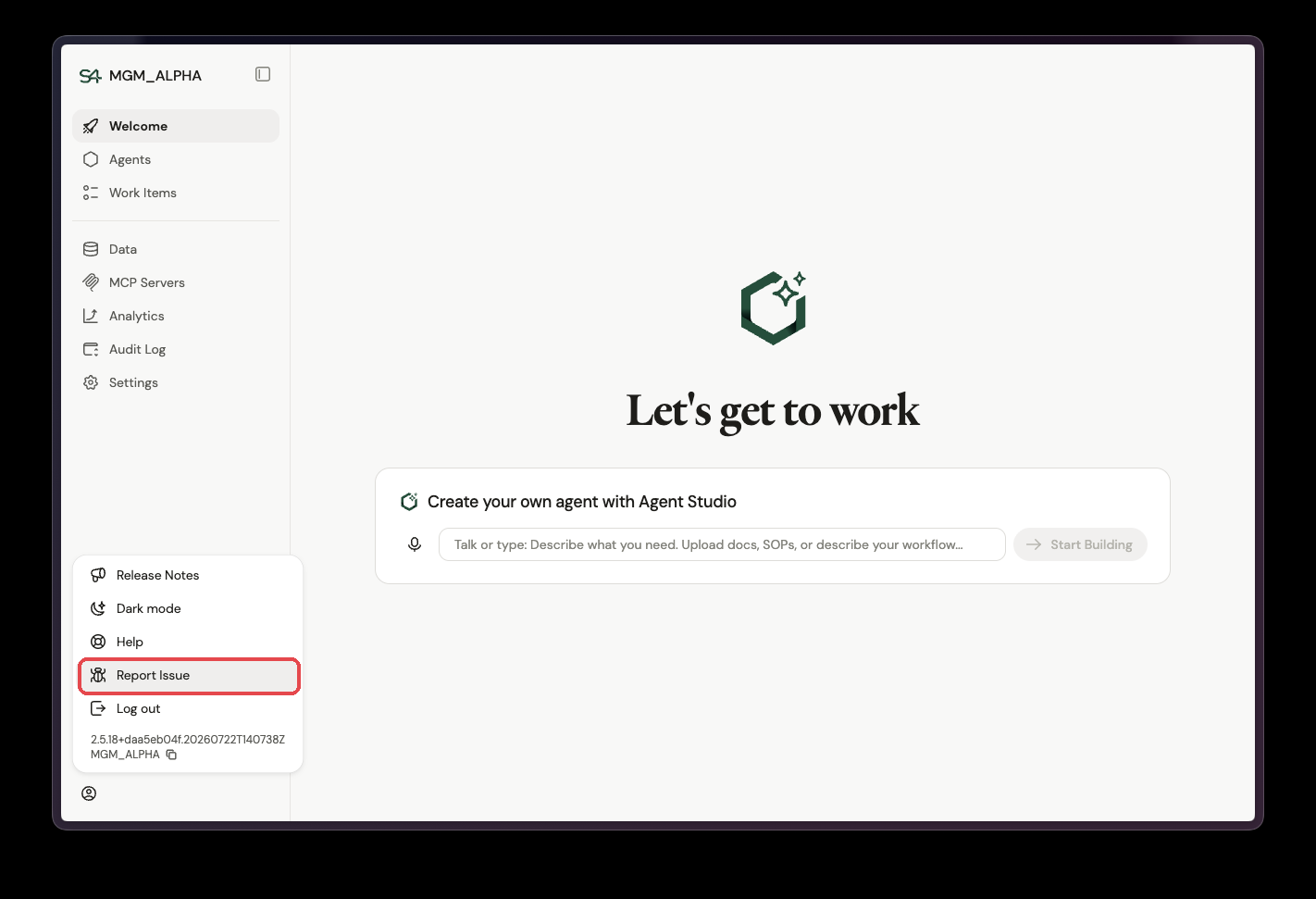
If something isn't working, report it directly from the app: open the user menu in the bottom-left corner and select Report Issue. The menu also shows the app version and instance name — use the copy button next to them and include both in your report.
When reporting an issue to Sema4.ai, log excerpts from around the time of the problem help a lot — include them along with the app version and instance name.