Verified Queries
What it is: Verified queries are saved, trusted SQL queries that an agent can reuse for recurring workflows, without regenerating SQL from natural language each time. In our first tests, we've seen savings of over 50% in token usage and in time to answer!
When to use: Any time a question or workflow is repeated, business-critical, or needs consistency across users and teams.
Benefits
- Consistency: Same workflow, same query, predictable results.
- Trust and governance: Review/approve the SQL once and reuse it.
- Speed: Avoid repeated NL→SQL generation for common questions.
- Cost control: Fewer model tokens/iterations for high-volume recurring questions.
- Operationalization: Turn investigations into reusable building blocks (weekly checks, QBR packets, standard rollups).
Creating and editing in Studio
When you have an agent with a Semantic Data Model connected, just start chatting! When you ask a question in the chat, agent will generate the SQL query and execute it. Saving the query is as easy as clicking the Verified Query button in query element in the chat. See below!
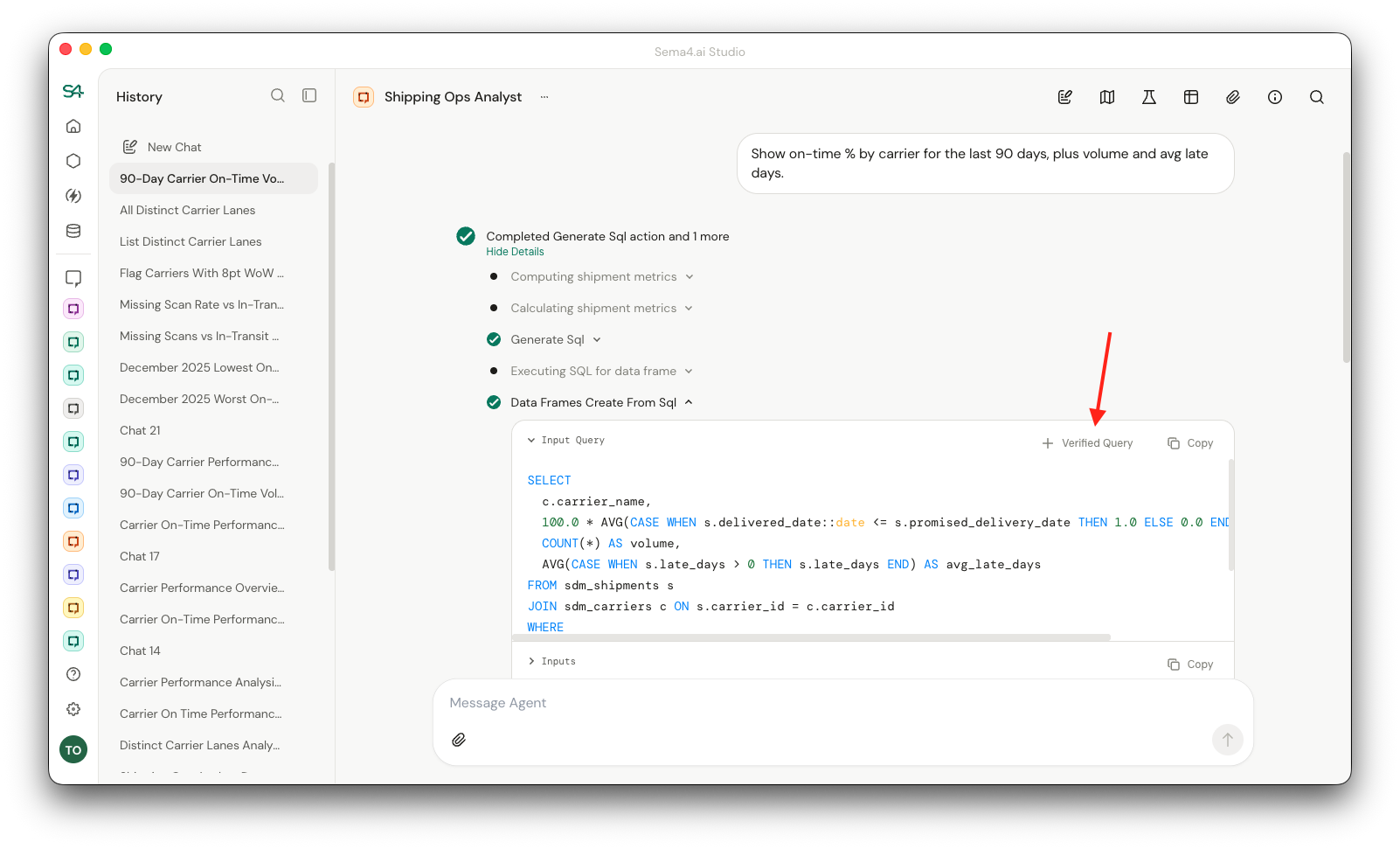
Once you click the button, we will autogenerate the name and description for the verified query. You can edit them if you want to. You can also edit the SQL query if you want to.
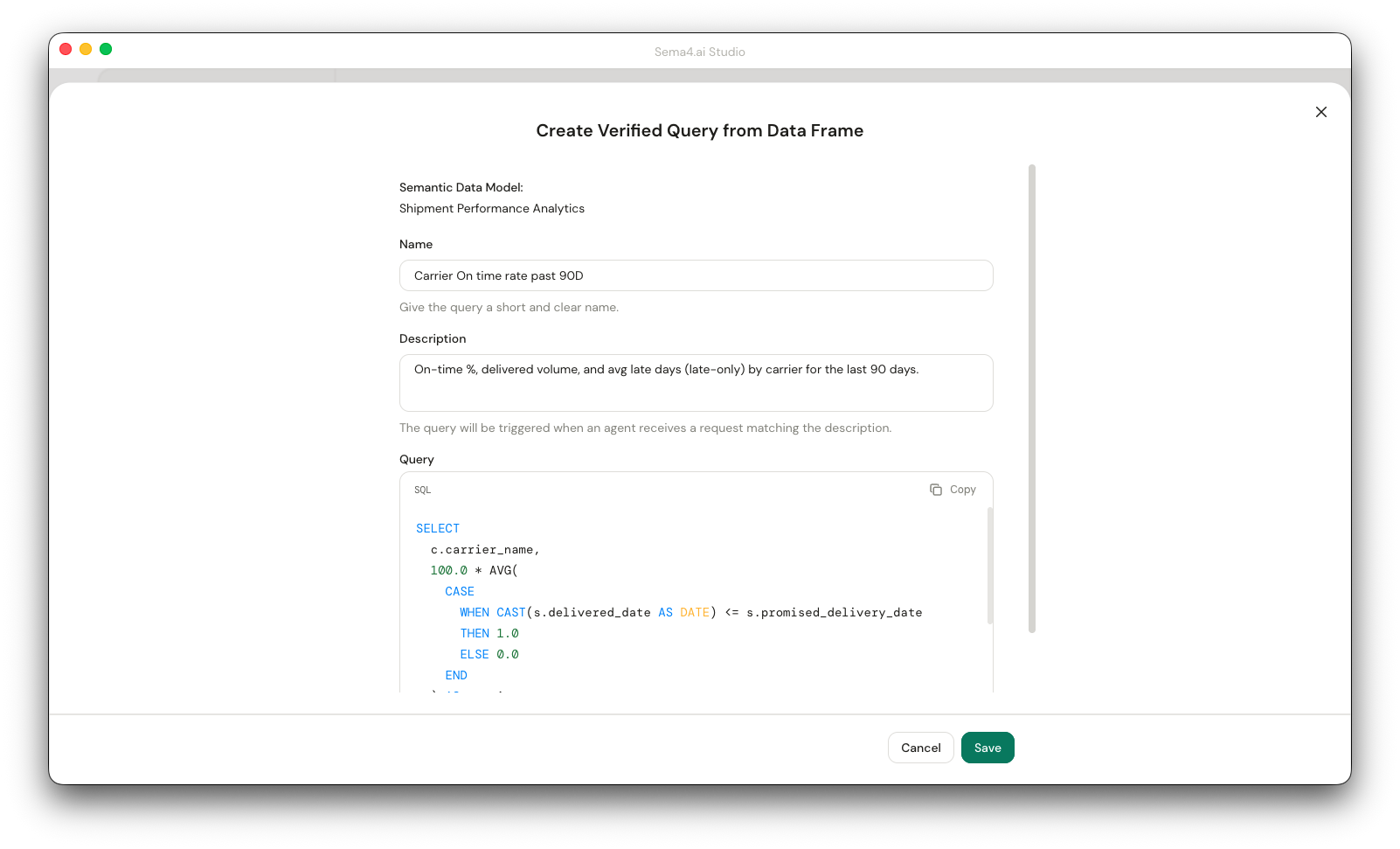
Once you are happy with the query, click the Save button to save the verified query. That's it!
Agent using verified queries
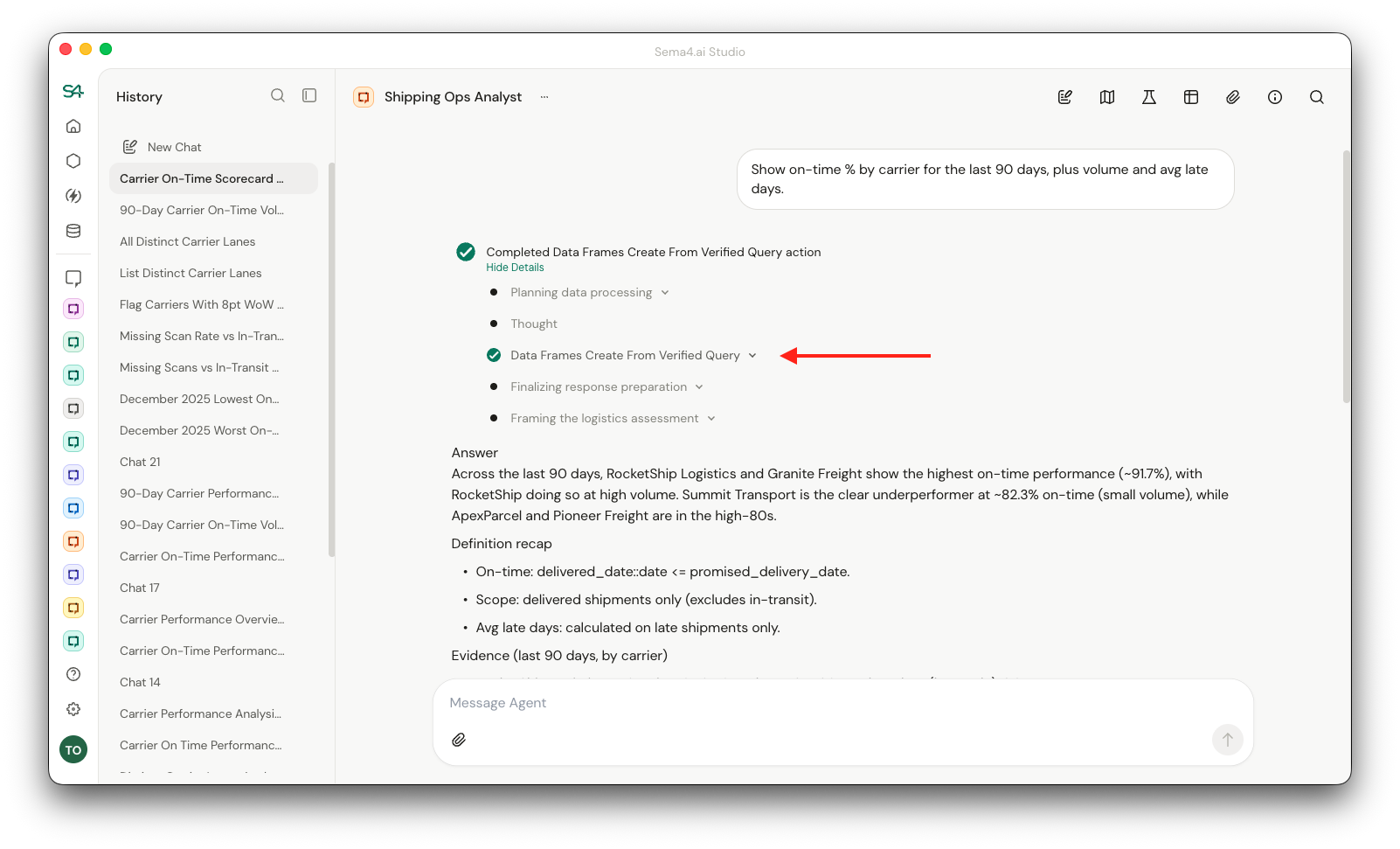
If your semantic data model has verified queries, the agent will prioritize using them over generating the SQL query from natural language. This is a big win for speed and cost control!
Notice how in the screenshot below, the agent used the verified query to answer the question, rather than generating the SQL query from natural language:
Editing verified queries
You can edit a verified query by accessing the edit view of the semantic data model from the agent information side panel. This is accessed through the three dots menu next to the name of the semantic data model.
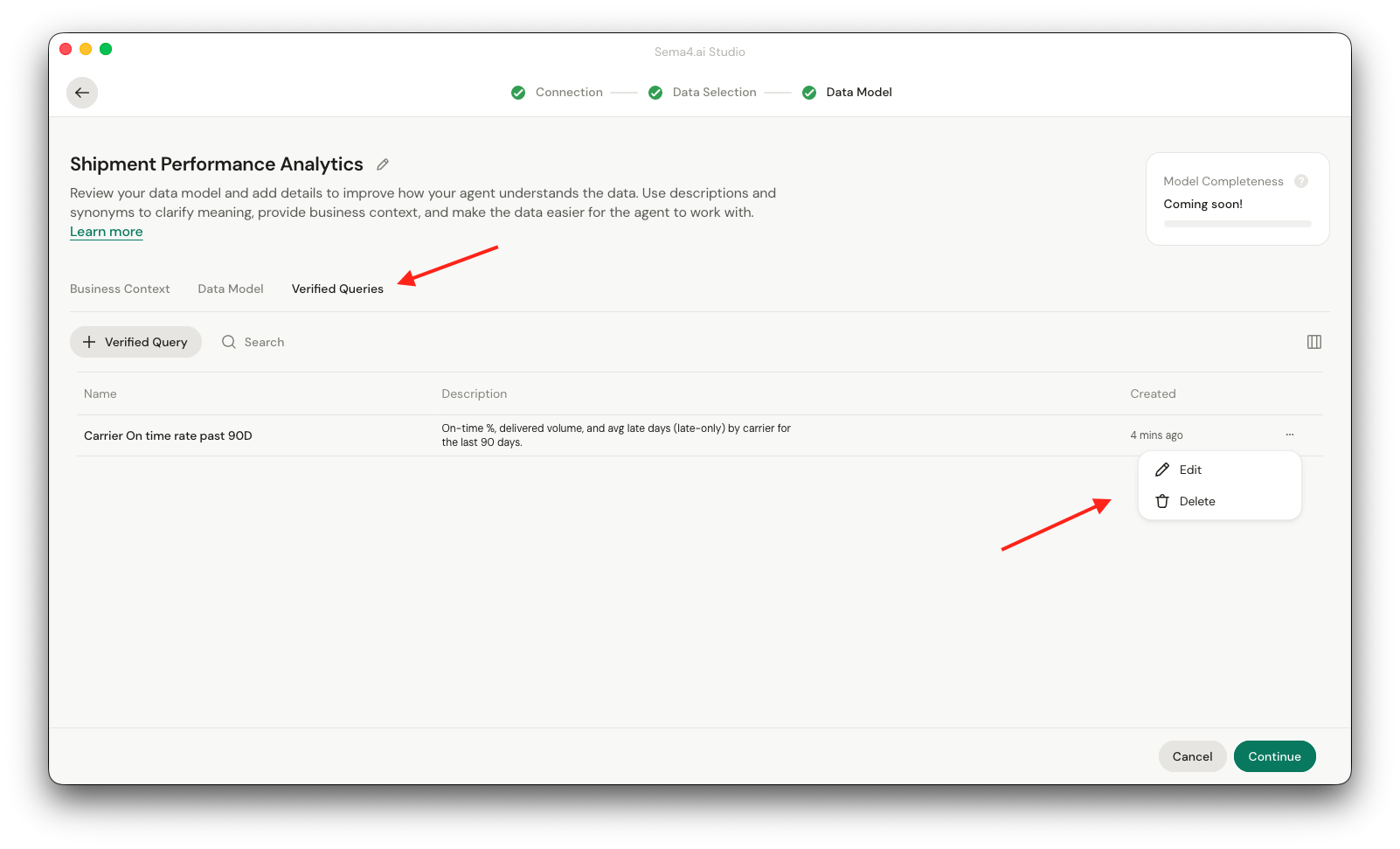
Once you are in the Semantic Data Model edit view, you can access the verified queries list by clicking the Verified Queries tab. You'll see a list of all the verified queries for the semantic data model, and are able to edit and delete them from the three dots context menu on the right.
Limitations
In the current version, you are not yet able to create verified queries with parameterized arguments. This means that for example if the query has a date range parameter, you are not able to pass a different date range when you use the verified query. We are working on this and will add support for parameterized arguments in the immediate future.