Evals
Evals measure whether an agent does its job correctly — and catch regressions before users do. Instead of writing test code, you record a real conversation as a benchmark (a golden run) and replay it.
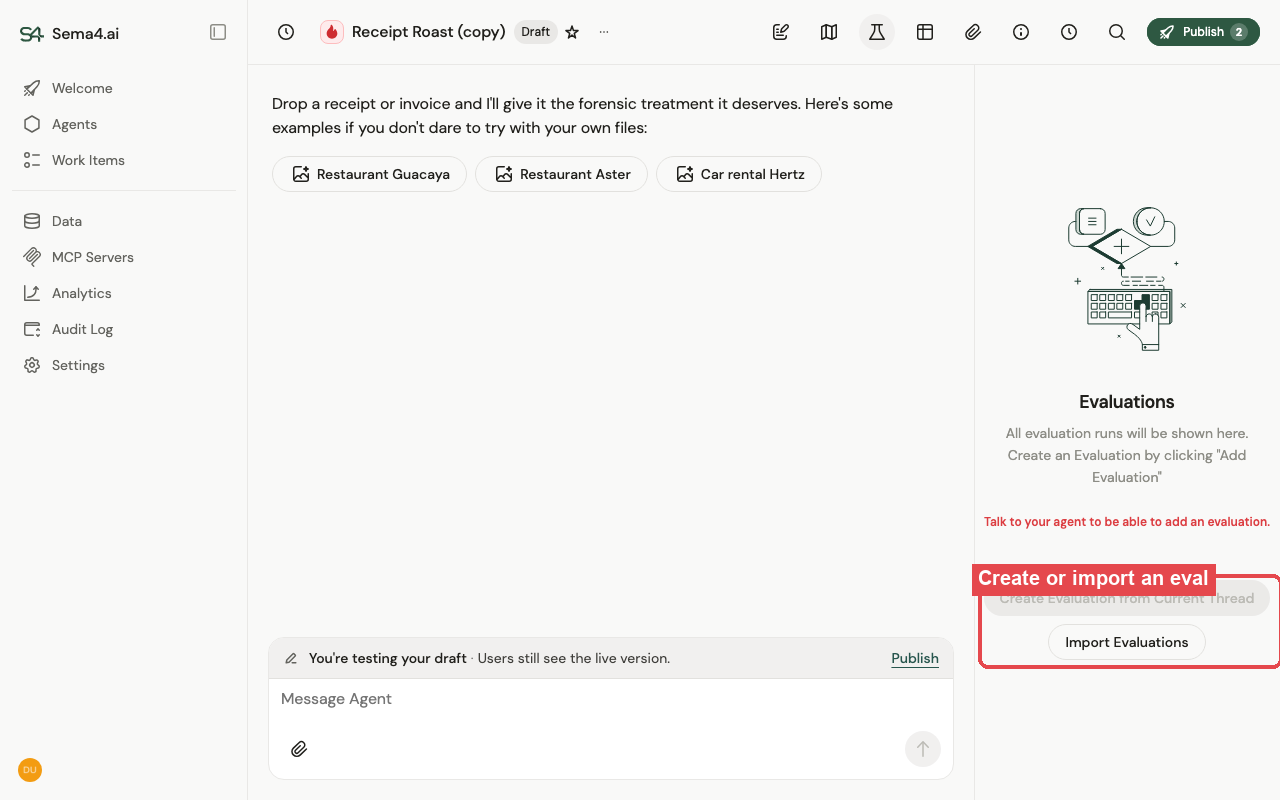
Create an evaluation
Record a golden run
Start a new thread and chat the agent through a workflow it should handle reliably — this conversation becomes one evaluation scenario. Creating the eval captures which tools were called, their order, and the expected outcomes; running it later replays your exact inputs (prompt, uploaded files, instructions, or work-item payload). Record as many scenarios as you like, one per thread.
Create the evaluation and tune criteria
In the agent's Evaluations panel, click Create Evaluation from Current Thread. The system generates success criteria from the agent's output and tool calls — for example "Must call the reconciliation tool" or "Output must contain account ID 293847". Edit them: add stricter checks, or remove ones that are too specific (like a date-stamped filename).
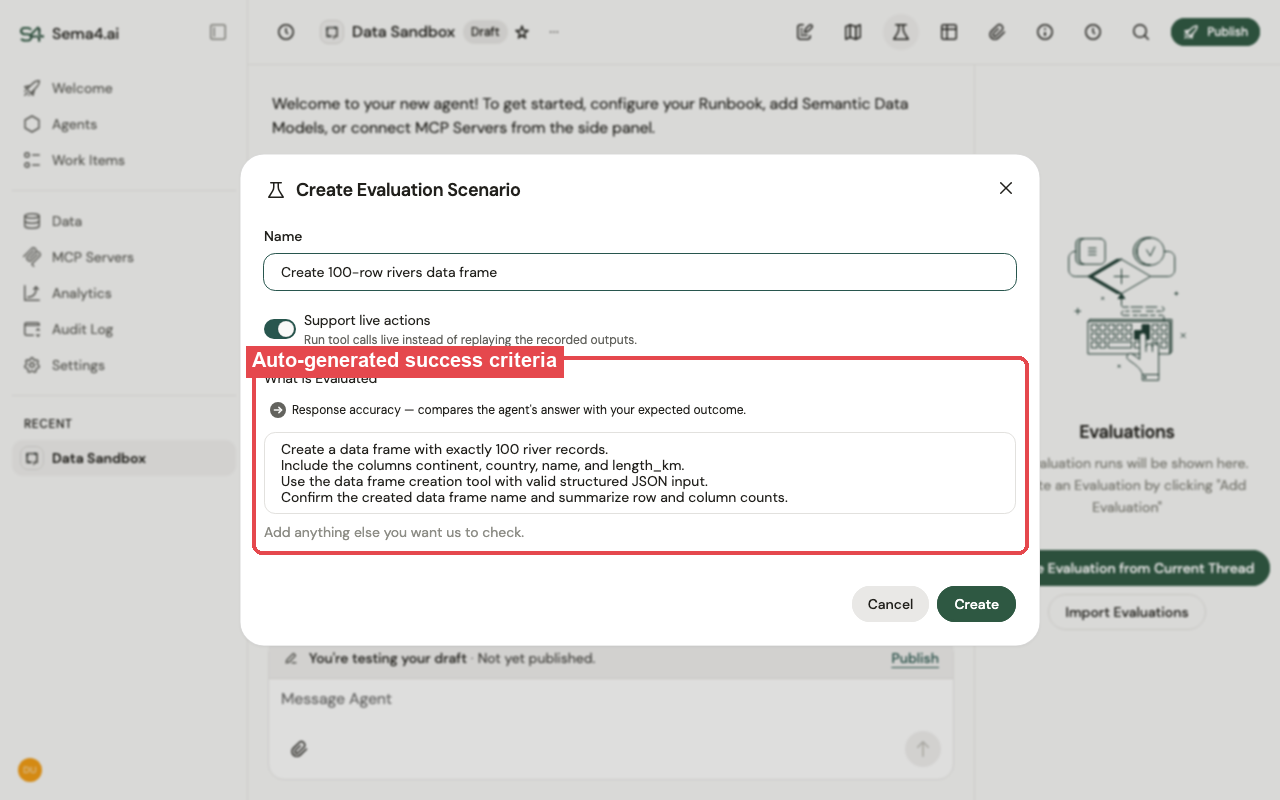
Not sure whether a criterion is too strict? Run with the auto-generated criteria first, then adjust.
Choose a mode
| Mode | Tools execute? | A pass means |
|---|---|---|
| Live run (default) | Yes | The agent reaches the correct outcomes — stays valid even if you change its tools or config. |
| Dry run | No (replayed) | The agent calls the same tools in the same order with the right parameters; recorded responses are replayed. |
Toggle this with Support live actions. Use a dry run when you need deterministic execution, or when running for real would send duplicate emails, create duplicate records, or burn one-time tokens.
Run and review
Click Run on one scenario, or Run All for an overall accuracy and consistency score across every scenario. Each run records the model, runbook version, and duration, so you can compare how a change affected accuracy over time. Open a run to see pass/fail per trial with an explanation of why; expand it for the full conversation and every tool call.
For deeper observability, eval traces are sent to your observability endpoint alongside production traces.
Evals run trials in parallel and can hit your model provider's rate limits (shown as "throttled"). The system retries automatically. If a single trial can't complete, your rate limits are too low for even one agent run — raise them with your provider.