API access
The native app exposes the full Sema4.ai REST API — including agents as MCP servers — at an endpoint in your Snowflake account. Clients authenticate with a Snowflake programmatic access token (PAT), and what a token can access is governed by the Snowflake application role its user holds: SEMA4AI_APP_ADMIN, SEMA4AI_APP_BUILDER, or SEMA4AI_APP_MEMBER (see User access and roles).
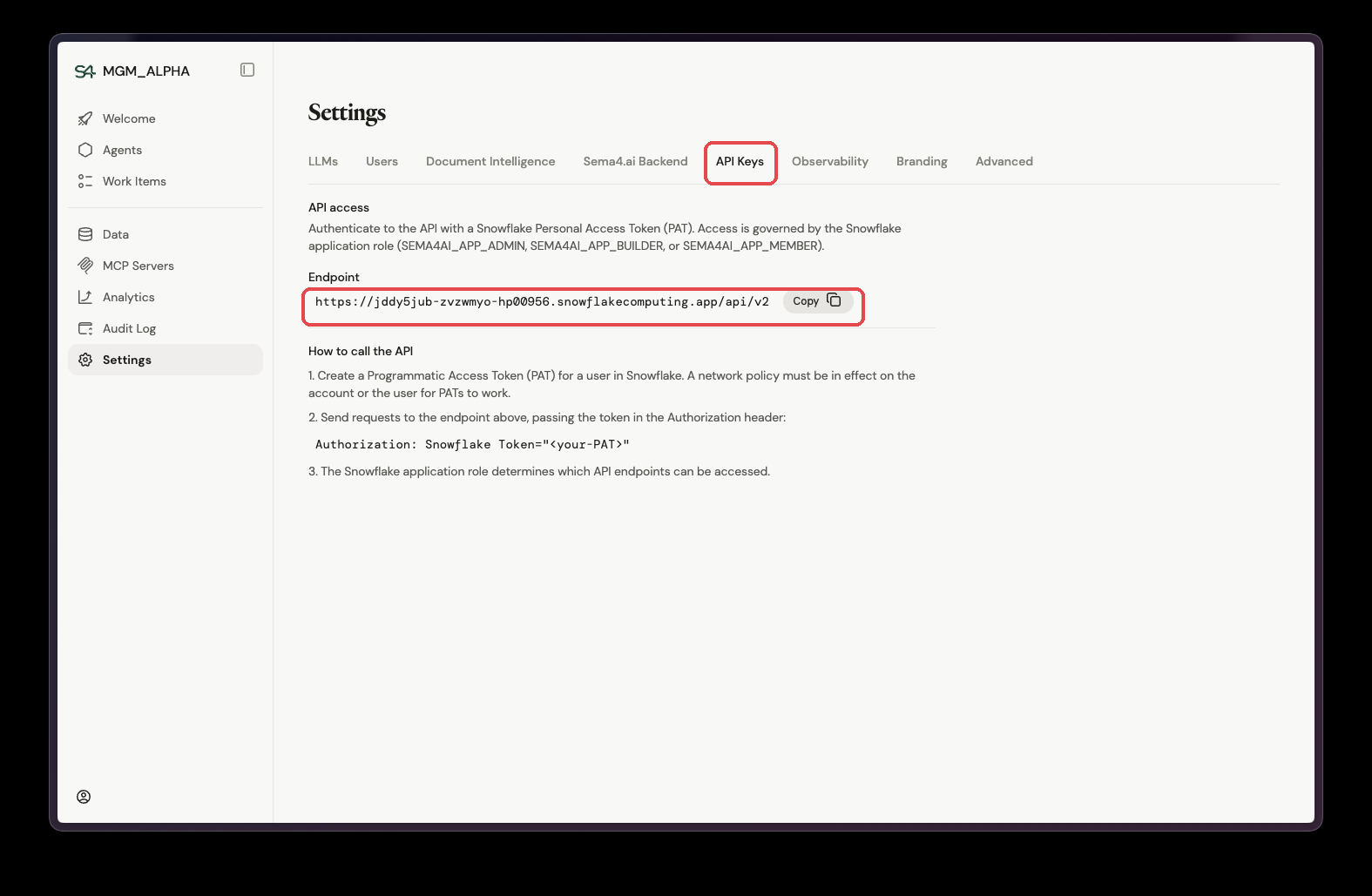
Find the endpoint
In the app, go to Settings → API Keys. The Endpoint field shows your installation's API base URL — copy it from there.
Create a service account and PAT
The recommended setup is a dedicated service account whose PAT is restricted to a single account role. The chain is: application role → account role → service account → PAT.
Replace <app_name> with your installed application name, and adjust the role, user, and token names to your naming conventions.
Create an account role for API access
CREATE ROLE IF NOT EXISTS AGENT_API_ROLE;Grant the app's application role to it
GRANT APPLICATION ROLE <app_name>.SEMA4AI_APP_MEMBER TO ROLE AGENT_API_ROLE;For production API access, use SEMA4AI_APP_MEMBER. A member token only sees published agents — it can never see agent drafts being developed later — and it carries none of the permissions an admin token would leak unnecessarily, such as the ability to delete agents.
Create a service account with that role as its default
CREATE USER AGENT_API_USER
  TYPE = SERVICE
  DEFAULT_ROLE = AGENT_API_ROLE
  COMMENT = 'Service account for Sema4.ai API access';

GRANT ROLE AGENT_API_ROLE TO USER AGENT_API_USER;
If you reuse an existing service account that already has another default role, change
it with ALTER USER <user> SET DEFAULT_ROLE = AGENT_API_ROLE; — or create a new
service account instead.
Create the PAT, restricted to the role
ALTER USER AGENT_API_USER
  ADD PROGRAMMATIC ACCESS TOKEN AGENT_API_PAT
  ROLE_RESTRICTION = 'AGENT_API_ROLE';
Snowflake returns the token value once — store it securely.
Confirm the token exists
SHOW USER PROGRAMMATIC ACCESS TOKENS FOR USER AGENT_API_USER;A network policy must be in effect on the account or the user for PATs to work. For details on PATs and network policies, see the Snowflake documentation on programmatic access tokens (opens in a new tab) and network policies (opens in a new tab).
Call the API
Send requests to the endpoint you copied from Settings → API Keys, passing the PAT in the Authorization header. The copied value is the full base URL (including the /api/v2 path) — append the resource path to it:
curl '<endpoint>/agents' \
  -H 'Authorization: Snowflake Token="<your-PAT>"'
See the API reference for the available endpoints, and Agent MCP for connecting to agents as MCP servers.