Document Intelligence
Document Intelligence lets an agent extract data from documents — invoices, claims, purchase orders, receipts, contracts. Two capabilities are built into every agent:
- Parse — read a document into text and tables the agent can work with. No configuration needed.
- Extract — pull structured data from a document according to a schema: the fields and tables you care about, with types and descriptions.
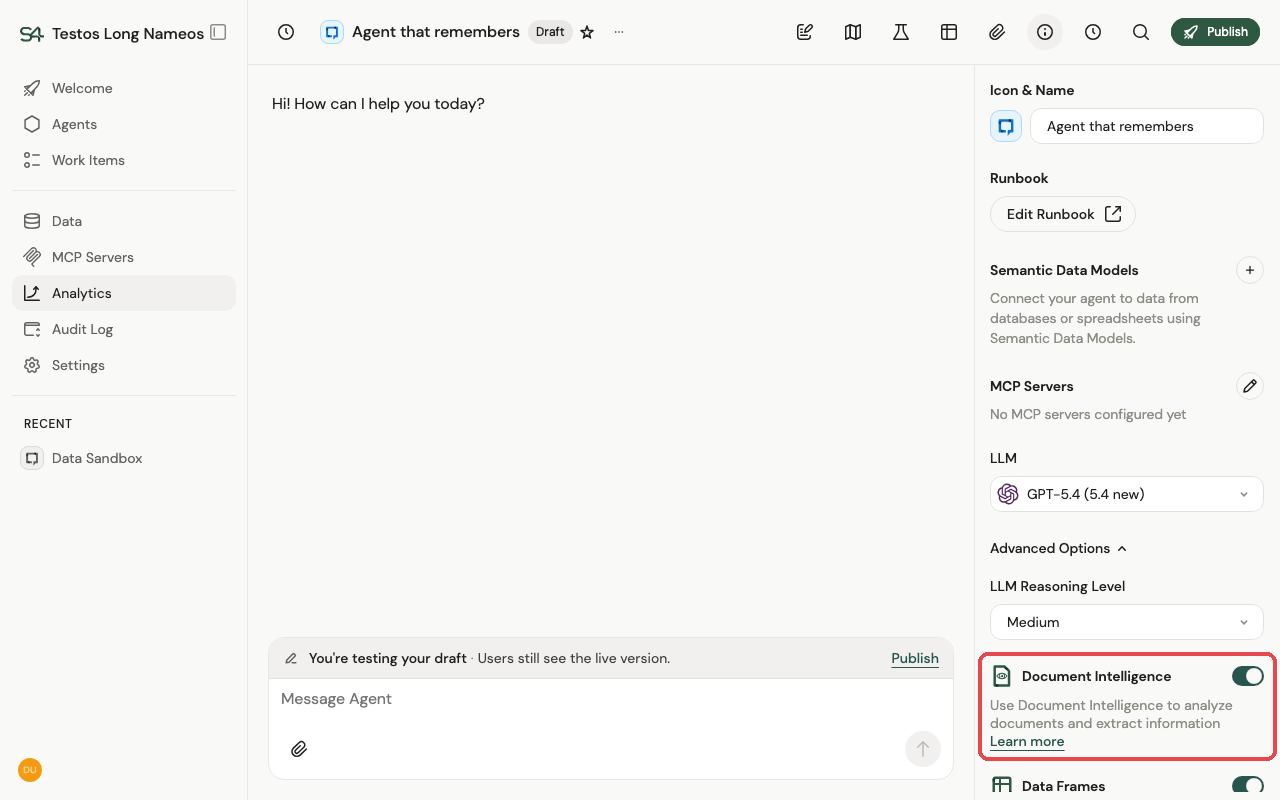
Document Intelligence is switched on per agent. While editing the draft, open the agent information panel and toggle Document Intelligence under Advanced Options.
To make extraction repeatable — the same fields from every document of a type — the schema lives in the agent's semantic data model. There are two ways to create one.
Guided Extraction
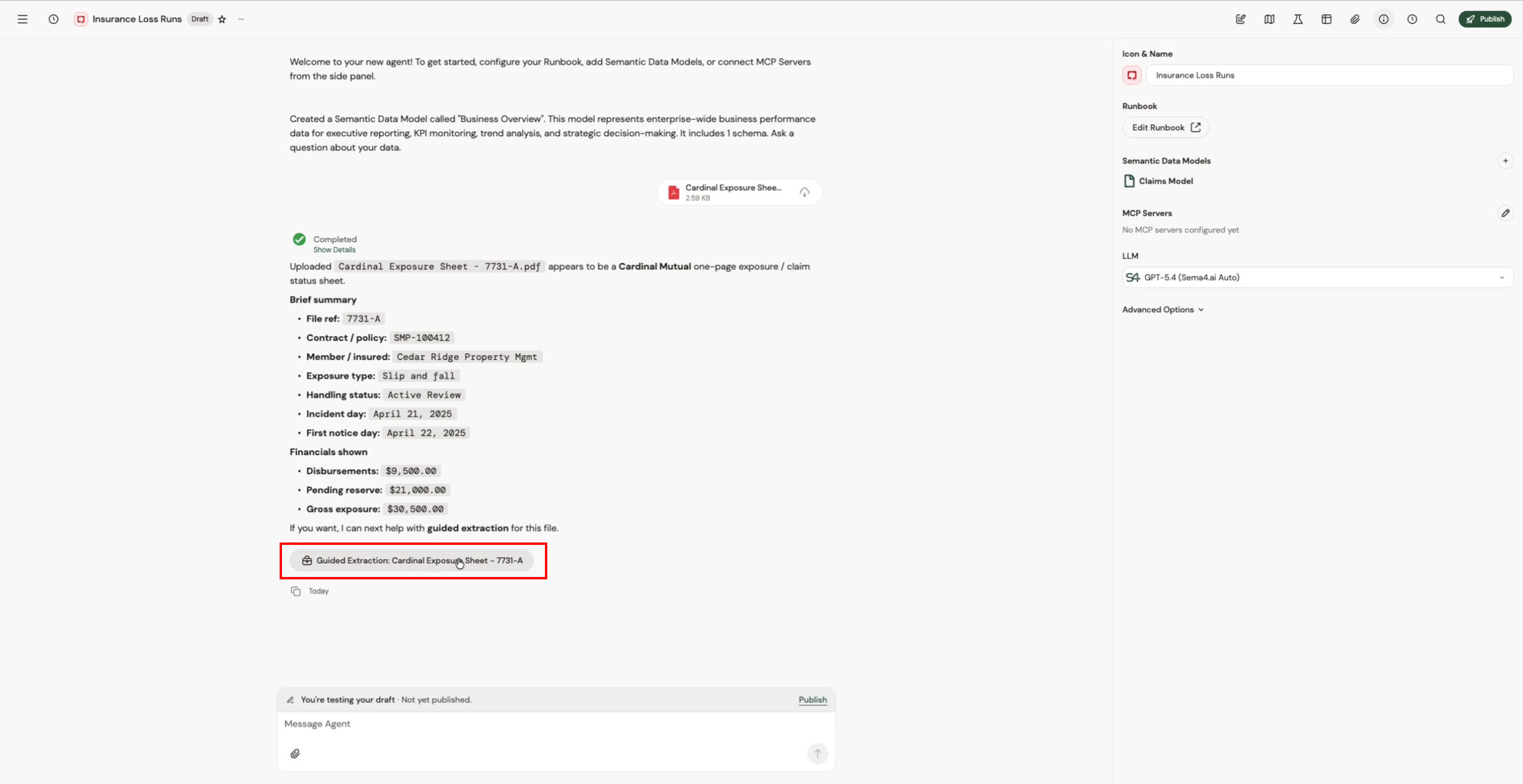
The easy way: teach the agent by example, right in the conversation. Upload a document to your draft agent and click the Guided Extraction button that appears.
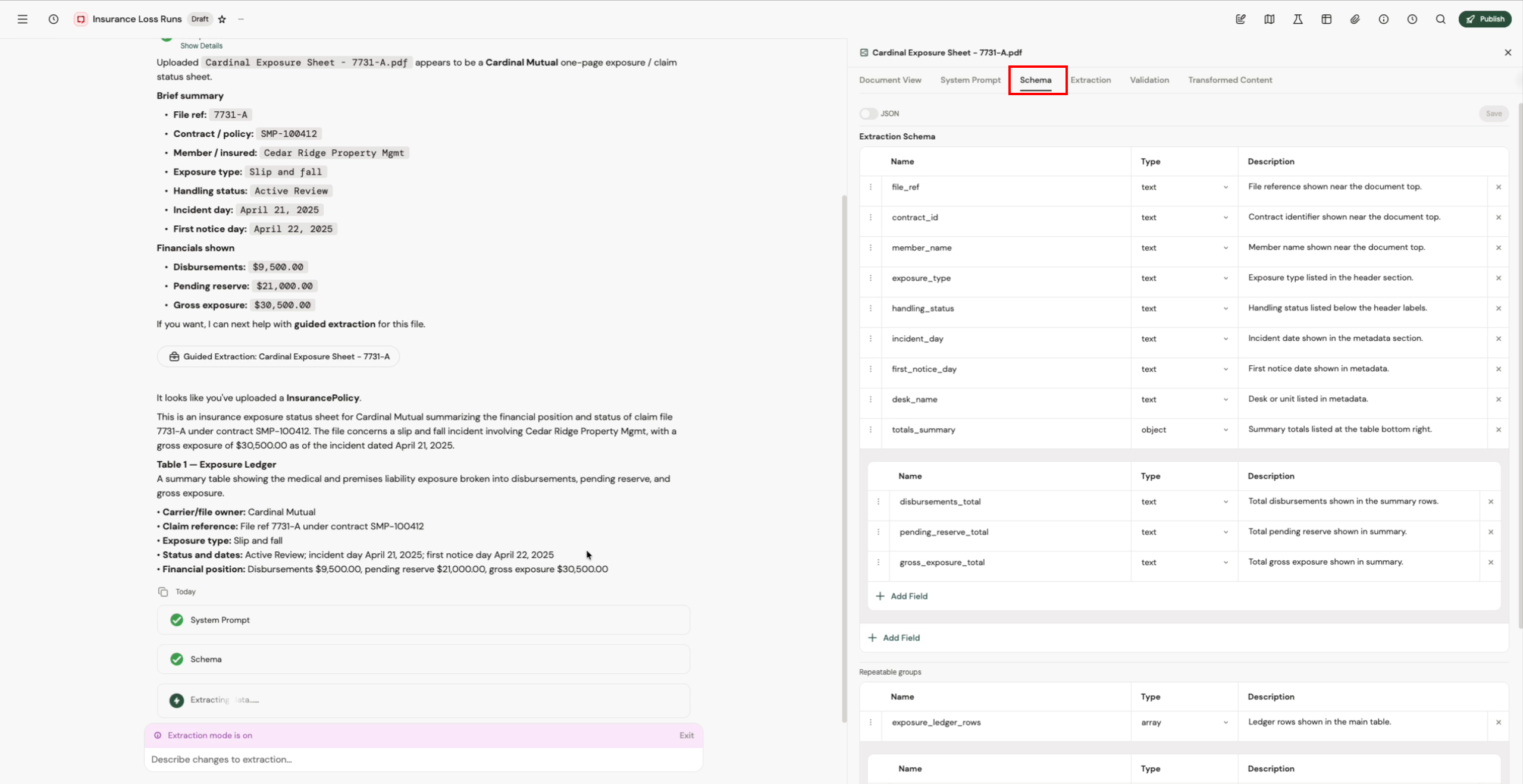
The agent works through the extraction in stages — document summary, system prompt, schema, extracted data — pausing at each one for your review. Edit directly in the panel, or tell the agent what to change in chat ("add a field for the due date").
When the extracted data looks right, click Save as SDM to save the schema into the agent's semantic data model. From then on, matching documents are extracted automatically.
Along the way you can also add validations (pass/fail checks on extracted values) and transformations (map extracted data into another schema — for example, a canonical model shared by documents that come in different layouts).
From the SDM create view
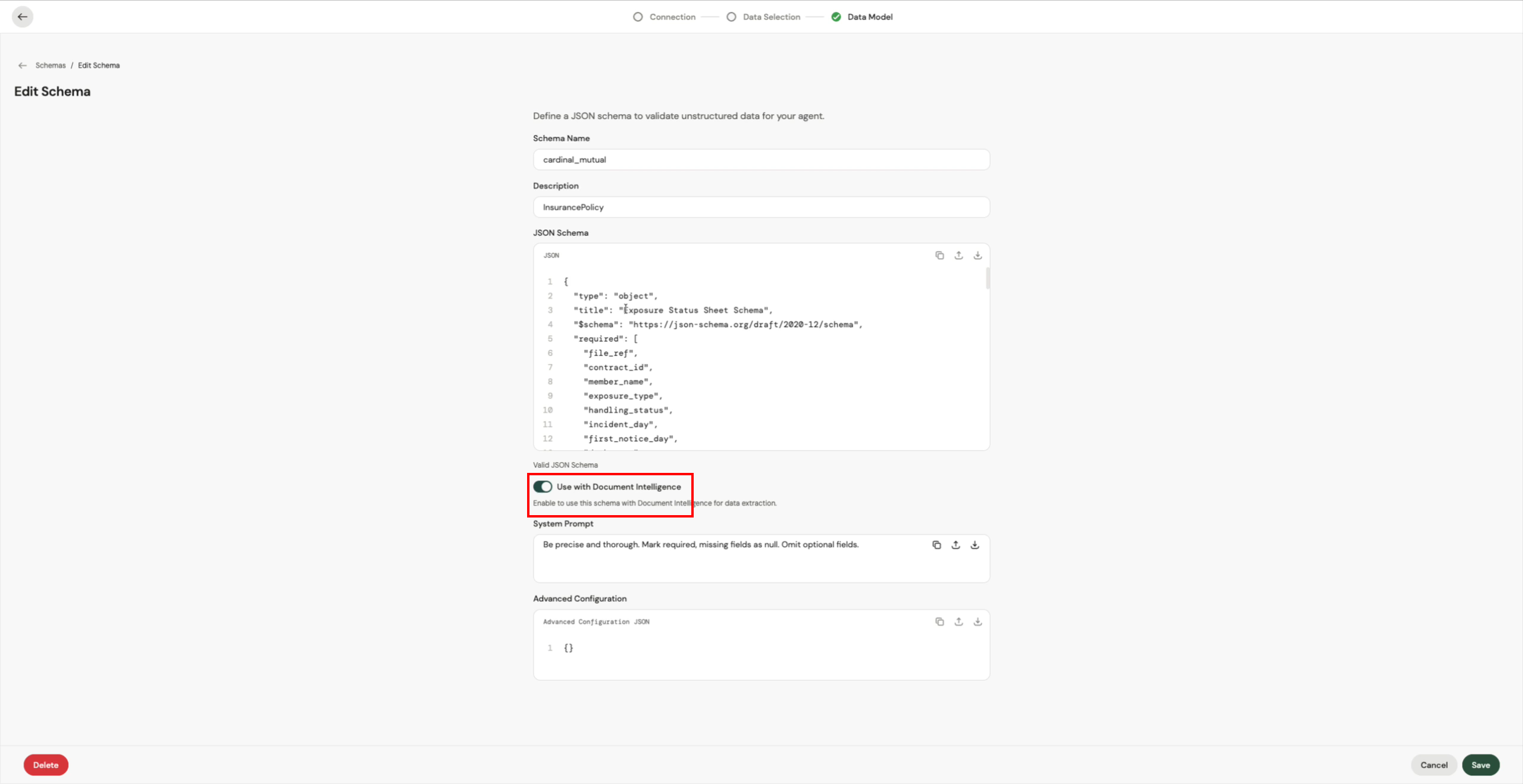
If you already know the structure, define it directly. When creating a semantic data model, choose Add Schemas, define the JSON schema, and turn on Use with Document Intelligence — optionally with a system prompt to guide the extraction model.
Configuring extraction is part of building an agent, so it happens on the draft. Publish the agent to put the schemas to work for your users — see Versioning & lifecycle.