Semantic data models
A semantic data model (SDM) lets an agent answer questions about your data in natural language. It's a semantic layer over your data connections that maps business concepts — entities, relationships, and metrics — to the underlying tables and columns. That's what lets the agent reason like a colleague ("open AR invoices for this vendor") instead of guessing at raw table and column names.
Creating a semantic data model
Open Configure Data Models on an agent and choose where the data comes from:
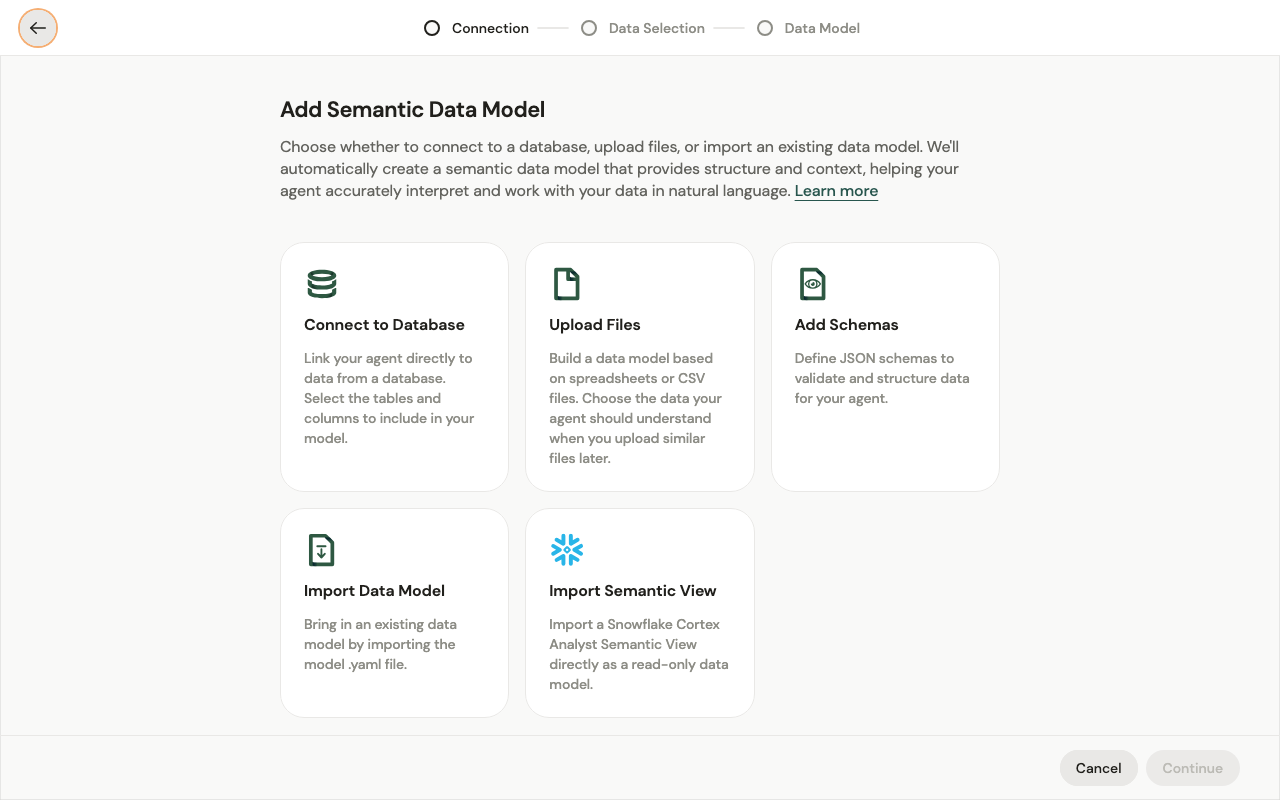
- Connect to Database — link to a data connection and pick the tables and columns to include.
- Upload Files — build a model from spreadsheets or CSV files; the agent learns their shape so it can handle similar files later.
- Add Schemas — define JSON schemas to validate and structure data.
- Import Data Model — bring in an existing model from its
.yamlfile. - Import Semantic View — import a Snowflake Cortex Analyst Semantic View directly, as a read-only model.
Automated creation
You don't hand-build the model. After you pick a source and select the data (the Connection → Data Selection → Data Model flow), the platform automatically generates the semantic layer — detecting entities, relationships, and metrics from your data.
From there you review and edit it: rename concepts, add business context and descriptions, adjust metrics, and remove anything the agent shouldn't see. Refine it over time as you learn where the agent needs more context.
Metrics
A metric is a reusable business measure defined in the model — an aggregation like total_revenue = SUM(net_revenue) or avg_order_value = AVG(order_total), or a composite like margin %. Metrics are generated automatically when the model is created, and you can add or edit your own. Because each one is defined once at a granular level, the agent computes it consistently and can roll it up by any dimension (by month, region, or vendor) — so "total revenue" means the same thing every time, no matter who asks.
Verified queries
A verified query is a known-good query you save for a recurring question. When a similar question comes in, the agent reuses the verified query instead of generating SQL from scratch. If none matches, it generates one.
Generated vs. verified is a real trade-off — which is why you promote your important questions to verified queries:
| Generated | Verified | |
|---|---|---|
| Speed | Slower — the model writes SQL each time | Faster — runs a known query directly |
| Reliability | Varies — can misread the schema | Deterministic — the same correct query every time |
| Token spend | Higher — reasoning + SQL generation | Lower — little to no generation |
A dedicated SQL-generation model handles the generated path — see LLMs.
Parameters
A verified query can take parameters — typed placeholders in the SQL (a vendor, a date range, a status) that the agent fills in from the user's question at run time. So a single verified query — "open invoices for {vendor} since {date}" — safely answers a whole family of questions: the query shape stays fixed and correct, and only the values vary.
Operations
Operations are the write side of verified queries — parameterized insert / update actions you save, review, and grant. Like read queries they take typed parameters, so the agent supplies values but never improvises the statement. Access control lets you say exactly what an agent may do with a connection — for example, approve AP invoices but nothing else.
Query history
Query history (in the Data section) records the queries agents have run against your connections. Use it to see what's being asked, spot good candidates to promote to verified queries, and debug.
How an agent uses it
Attach an SDM to an agent from Configure Data Models. When someone asks a data question, the agent uses the model's catalog to pick a verified query or generate one, runs it against the connection, and returns the answer — often as a data frame so the numbers stay exact.