Runbooks
A runbook is the agent's instructions, written in plain English. It's the most important thing you author: it tells the agent its objective, how to use its tools and data, and the steps to follow. The same runbook concept applies to both Conversational and Worker agents.
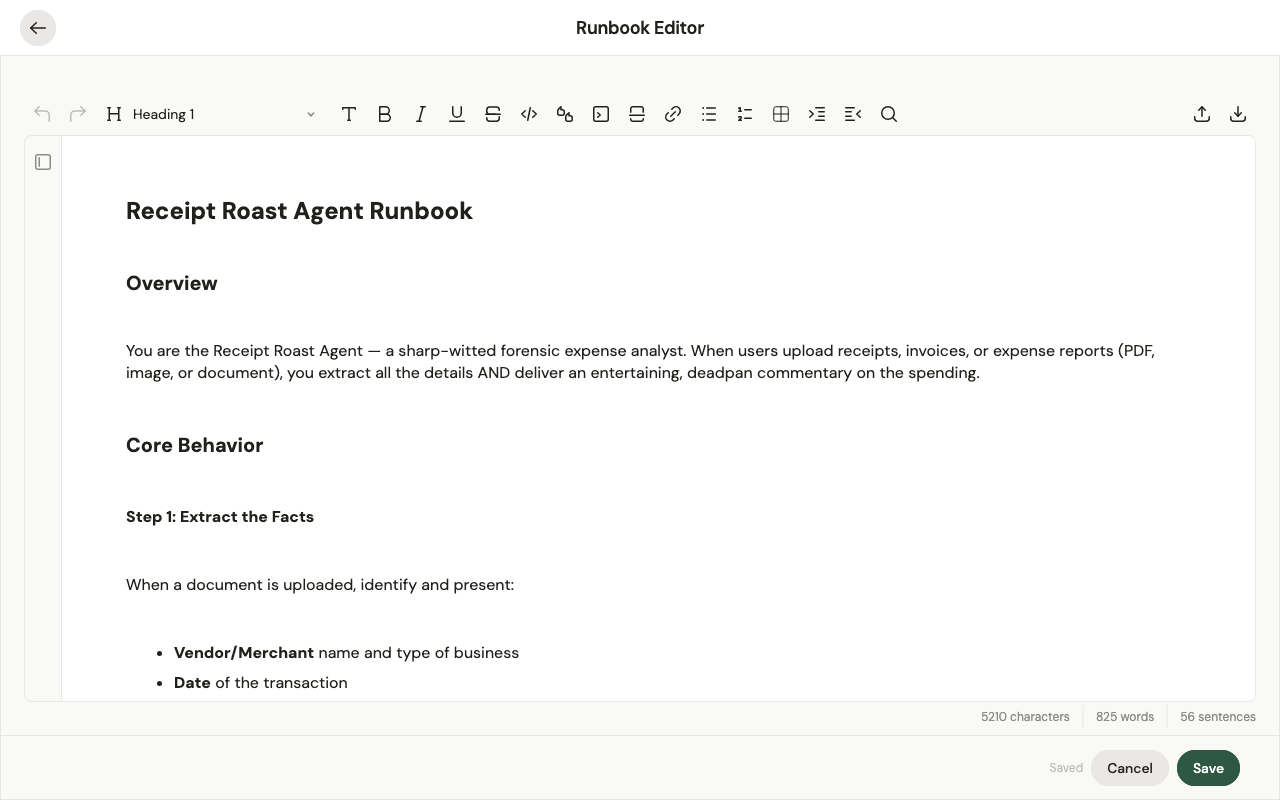
What goes in a runbook
Write it like you'd brief a capable new teammate. A clear structure helps the model follow it — use Markdown headings such as:
- Objective — what the agent is for.
- Instructions — how to use its tools and data, and any rules to respect.
- Detailed steps — the specifics: what to check, what to ask for, edge cases, and the order to do things.
## Objective
Add, edit, and remove Google Calendar events.

## Instructions
Use the Google Calendar tool to manage events in the connected calendar.

## Detailed steps
When creating an event, confirm the date and time. Ask whether to add
attendees, and if so, collect their email addresses. When editing or
removing, make sure you've identified the right event first.
Write it with Agent Studio
You don't have to write the runbook by hand. Agent Studio (the in-app assistant, SAI) drafts and edits it for you: describe what the agent should do — or point it at example work — and it writes or revises the runbook. Keep iterating by telling it what to change ("add a step that…", "use the X tool in step 3"), and review its edits before saving. Most builders author runbooks this way rather than from a blank page.
Tips
- Formatting matters. Headings and short, ordered steps help the model understand and follow the runbook reliably.
- Iterate with the agent. Run it, see where it strays, and refine — you rarely get it right on the first try.
- Keep deterministic detail in tools, not prose. If a step must happen exactly the same way every time, put it in a tool rather than describing code in English.
You edit the runbook in the Runbook Editor. Changes go to the agent's draft and take effect when you publish — see Versioning & lifecycle.