Installation
The Sema4.ai native app installs like any other Snowflake Native App: you get the listing, choose a release channel and instance name, and Snowflake runs the installation inside your account.
Before you start
- Installation typically requires the
ACCOUNTADMINrole. - You can get the app in two ways:
- Request Sema4.ai from the Snowflake Marketplace, or
- Provide your account's data sharing identifier to your Sema4.ai representative, who shares the listing privately with your account.
Open the listing and choose a release channel
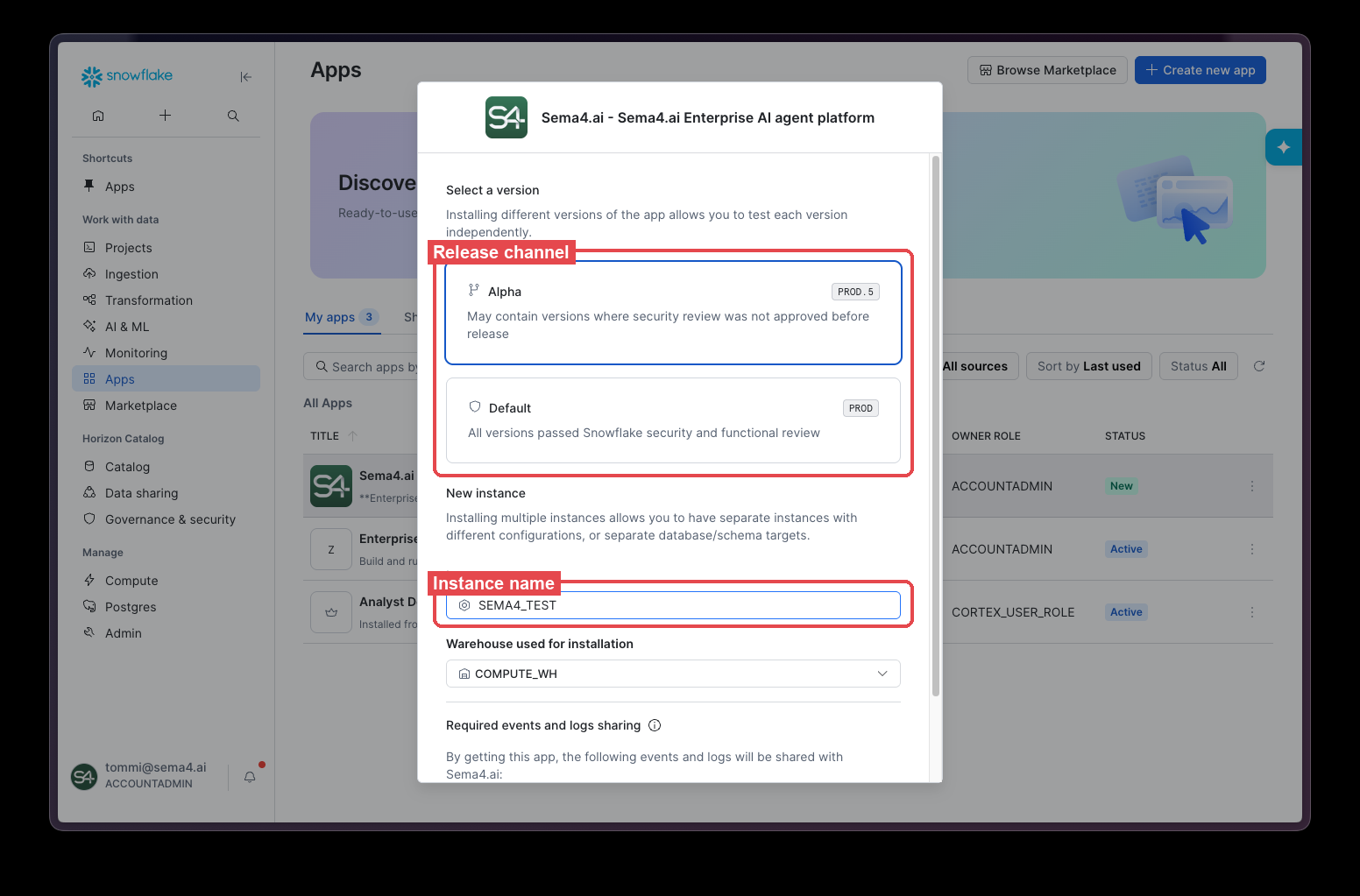
Open the Sema4.ai listing in Snowsight and select Get. Depending on how the listing was shared with your account, you see one or two release channels:
- Default — every version has passed Snowflake's security and functional review. Use this channel for production installations.
- Alpha — may contain versions released before the Snowflake security review was approved. Use this channel only for development and testing.
Name the instance
Give the instance a name you will recognize later, such as SEMA4_TEST. This name becomes the application name in your account — it is the <app_name> used in every GRANT ... TO APPLICATION <app_name> statement in this documentation, and how the app appears in Snowsight.
You can install multiple instances of the app in the same account — for example, separate development and production installations. A clear naming convention is the only thing that tells them apart, so choose names deliberately.
Select a warehouse and approve the requested access
Select the warehouse used for the installation, and approve the events and logs sharing the dialog requests. The privileges listed in the install dialog are all the app needs — no additional grants are required at installation time.
Start the app and add the Sema4.ai backend key
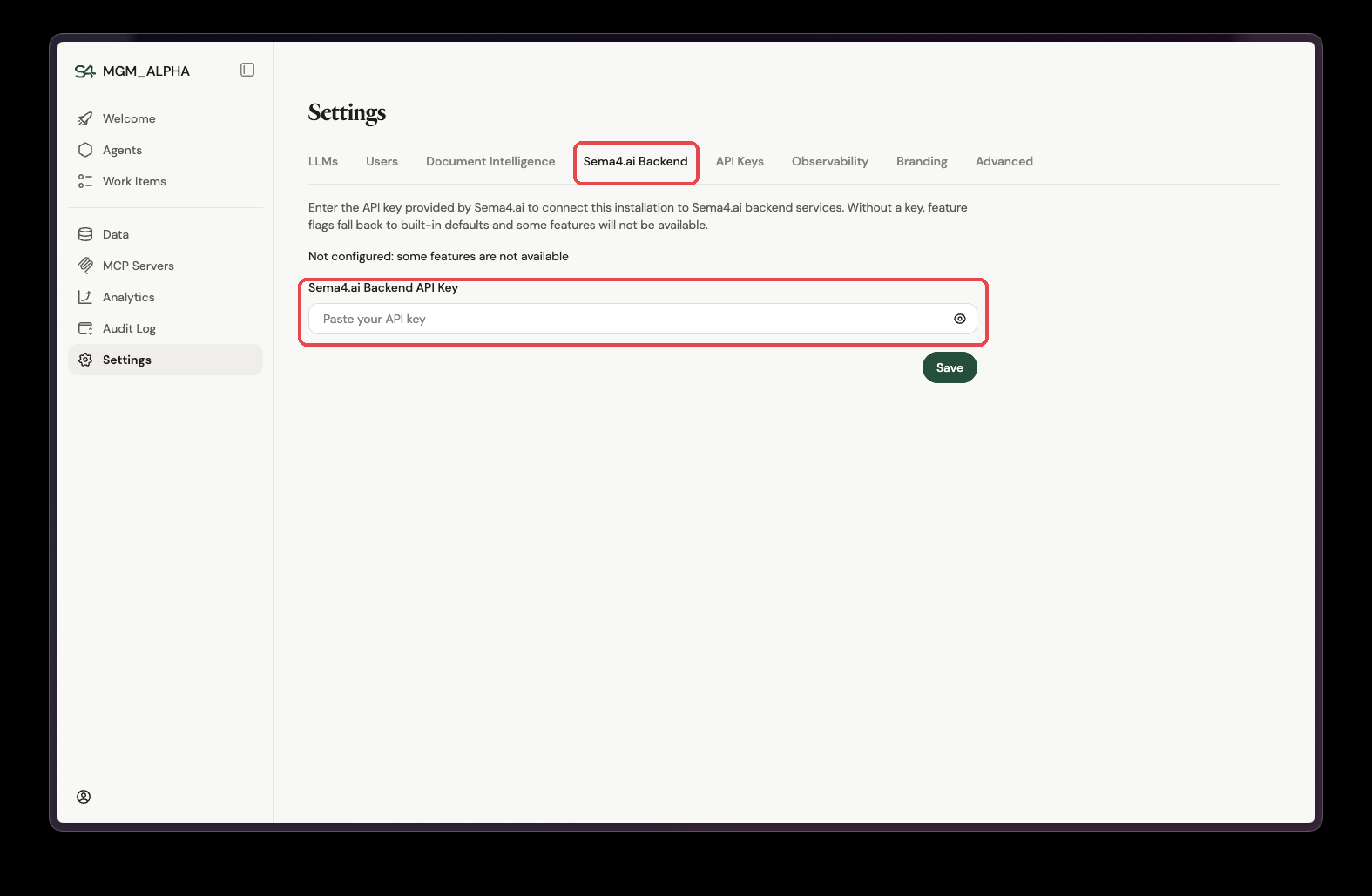
Once the installation completes and the app has started, open it and go to Settings → Sema4.ai Backend. Paste the API key provided by Sema4.ai and select Save.
The key connects the installation to Sema4.ai backend services. Without it, feature flags fall back to built-in defaults and some features are not available. Sema4.ai provides the key to your account admins — if you don't have one, contact your Sema4.ai representative.
Next steps
- Add Snowflake Cortex LLMs so agents have a model to run on.
- Grant users access through Snowflake application roles.
- Connect data by granting databases and schemas to the app.