Files
Agents read and write files — inputs you give them, working files, and outputs they produce. Files come in two scopes, and the difference matters.
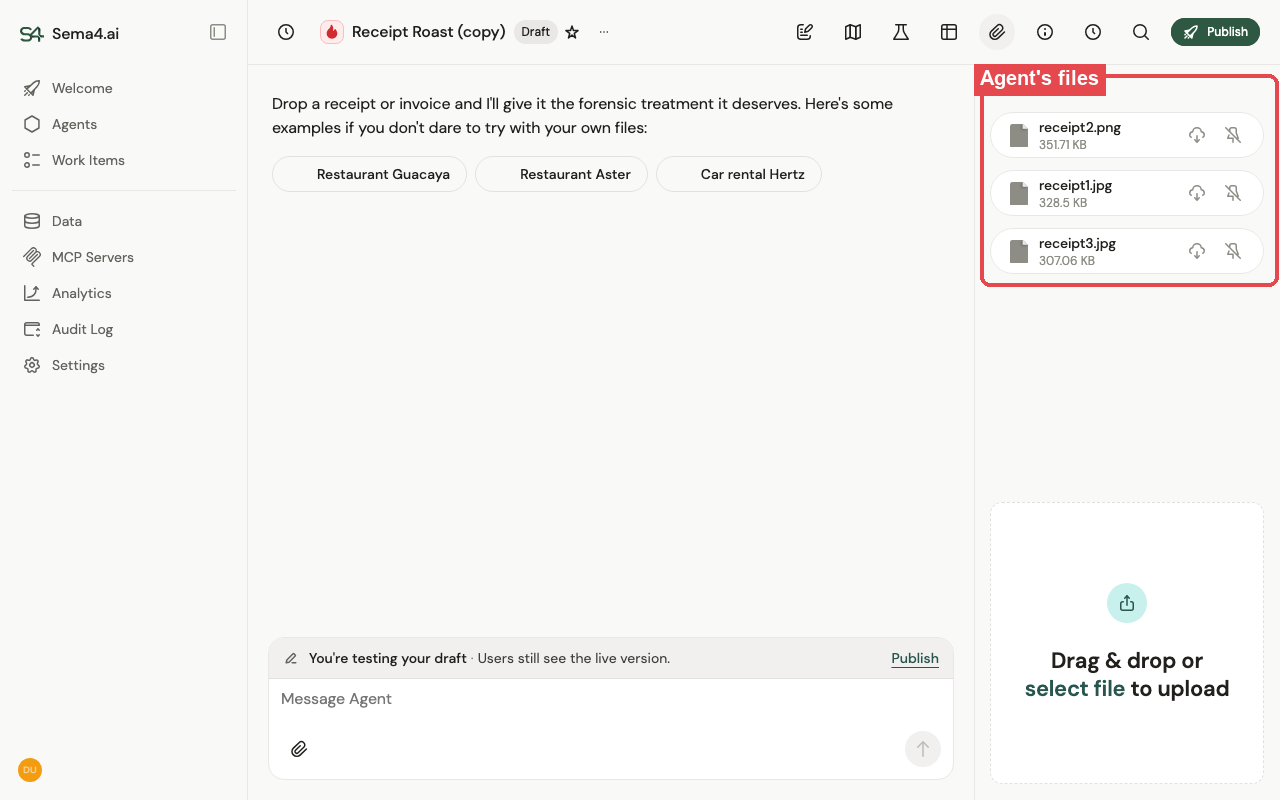
Agent-scoped (shared) files
Belong to the agent and are available in every conversation with it. Use these for what the agent should always have on hand — reference documents, templates, logos, lookup spreadsheets, knowledge it draws on. Upload them once on the agent; the agent can search and read them on its own (no separate knowledge base to wire up), and they travel with the agent when you export or publish it.
Thread-scoped files
Belong to a single conversation (thread). A file a user drops into a chat, and the outputs the agent generates during that chat (reports, exports, documents), live in that thread only — they don't leak into other conversations. This keeps each conversation's context self-contained.
A simple way to think about it: agent-scoped = what the agent knows for everyone; thread-scoped = what happened in this conversation.
Good to know
- Agent-scoped state persists across conversations; thread-scoped files stay with their thread.
- You don't have to organize anything up front — upload what you have and let the agent find what it needs. Use folders if you want more structure.
- Generated files land in the file space for you to download.