
Release Notes
🐛 Issue with 'RPA.Email.ImapSmtp' and 'RPA.Robocorp.WorkItems' libraries
We have discovered an issue with the current python-docx==1.0.0 package that is publicly available and utilized in our rpaframework as well.
This has direct impact to our RPA.Email.ImapSmtp and the RPA.Robocorp.WorkItems libraries.
The error looks like:
To resolve the issue you can either:
👉 Upgrade rpaframework==27.4.1 OR pin python-docx==0.8.11

Robocorp templates have already been updated, so you can also follow those.
If you have any questions or issues please submit a support ticket to support@robocorp.com
🎉 RPA Framework 27.3.1
- Casual dependencies upgrades and alignment.
🎉 RPA Framework 27.3.0
- Library RPA.PDF (#1102;
rpaframework-pdf7.3.0): - Keywords
HTML to PDFandTemplate HTML to PDFnow support parameters margin and working_dir. Latter can be used to set directory for example image files referenced in the HTML content. - Keyword
HTML to PDFcan be given a single HTML string to create single page PDF or list of HTML strings to create multi-page PDF.
Developer Tools September Updates 🏗️
As you may have noticed, we have been pushing out many updates to our tools and libraries lately, so a summary of the key things you can gain by updating is in place.
Support for newer type firewalls (MITM)
New firewall setups are coming to many companies, so we had to be the bridge to get the open-source frameworks to work inside these protected networks. Tools and libraries have been updated, and we have documentation here and here.
VS Code extensions
Support for our new Python logging is now built into VS Code, and several smaller improvements and supports for Python developers have been added.
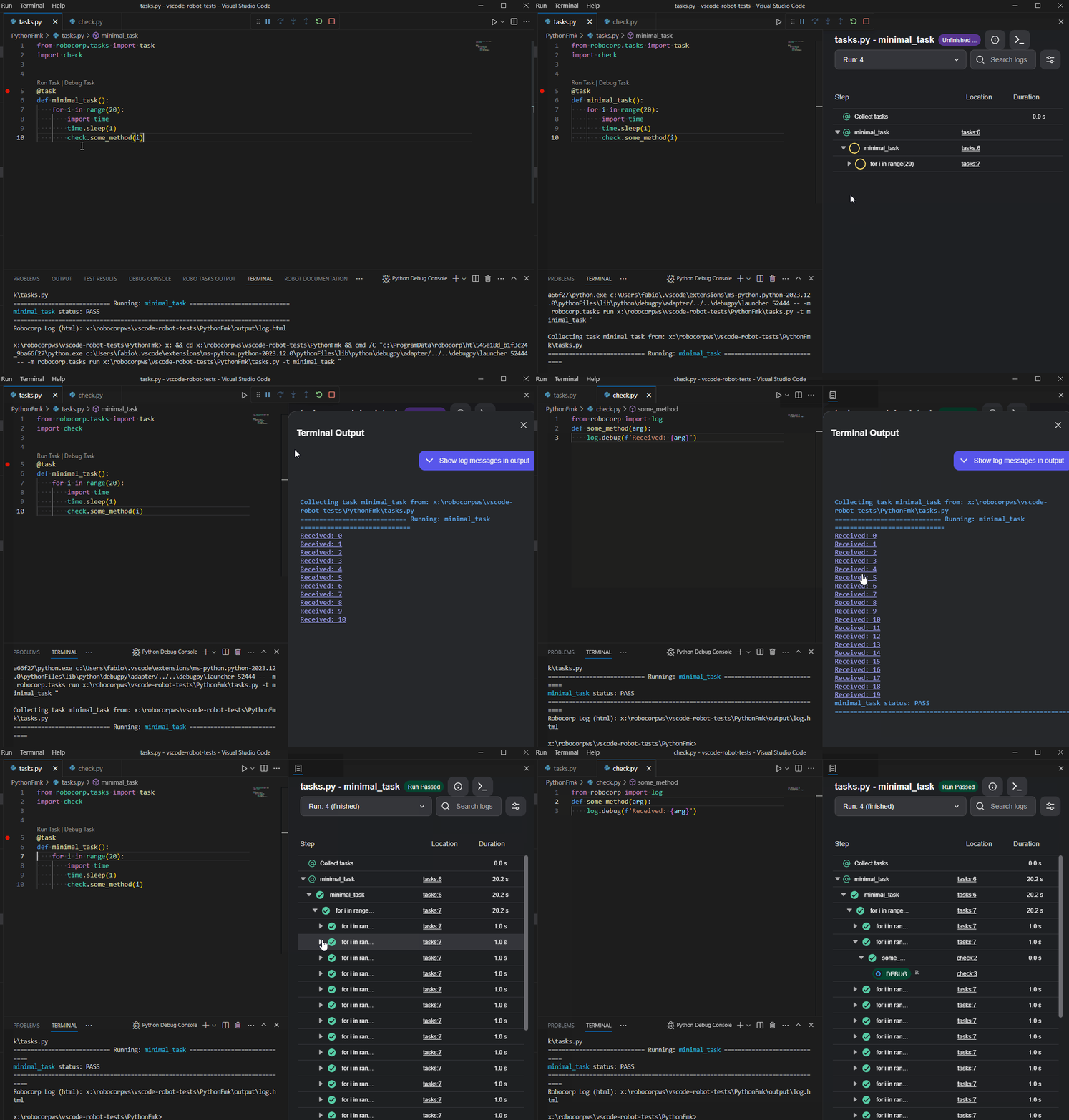
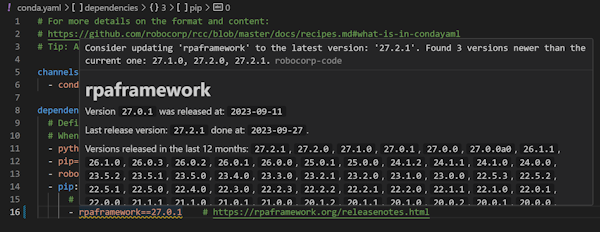
There is a dependency helper that highlights and helps you update your dependencies to new versions. Just hover over the dependencies, and you will see the versions available.
The full changelog is worth following if you want to keep up with the updates.
Setup Utility, Worker, and RCC
The latest version of Setup Utility adds new checks to identify potential blockers for Windows RDP setups. It adds a lot of new information coming from RCC diagnostics for the firewall setups and testing.
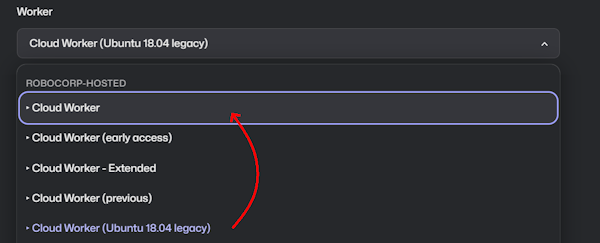
For the Worker, we would like to draw your attention to Cloud Workers specifically. Many are still running their processes on the older Ubuntu containers, so a kind reminder to update to the new Cloud Workers.
We have not seen any problems arising from this change, but switching to the new one has fixed a few cases. We also have the latest Worker (v7.1.3) in the Cloud Worker (early access), so you can always test the next upcoming Cloud Worker by using that one.
🎉 Robocorp Setup Utility v1.2.0
-
RCCEmbedded at version16.5.0Service HelperEmbedded at version1.17.1
-
The new
RCCversion has included alegacy-renegotiation-allowedflag that will permit users to enable the legacy renegotiation if needed -
Fixed notification when upgrading the worker to the latest version for the user to restart the worker
-
New Profileability inProfile Management- start a profile from scratch -
Worker Details - reshuffling of the inner menu + ability to
Lock Workerat user's will -
System Status now contains
RDP (Remote Desktop Protocol)related checks -
RDP Enabled support
-
RDP Logon Screen warning support
-
Optimisation done for the diagnostics phase
-
Ability to switch between
RCC profile settings&System settingswhile downloading the company profile -
UI/UX improvements and refactoring
Download from here and check our documentation here.
Have a splendid day! 🚀
Control Room: New Tasks View
We are streamlining the terminology across our product stack and have renamed Robots to Task Packages. More in-depth story about the change can be found in the blog post. The change will be at first visible at the Control Room UI and will be rolled to other parts of the Robocorp stack soon. Along with the naming change, we are introducing an updated Tasks view, which will make managing your executable code a breeze.
Renaming Robots to Task Packages
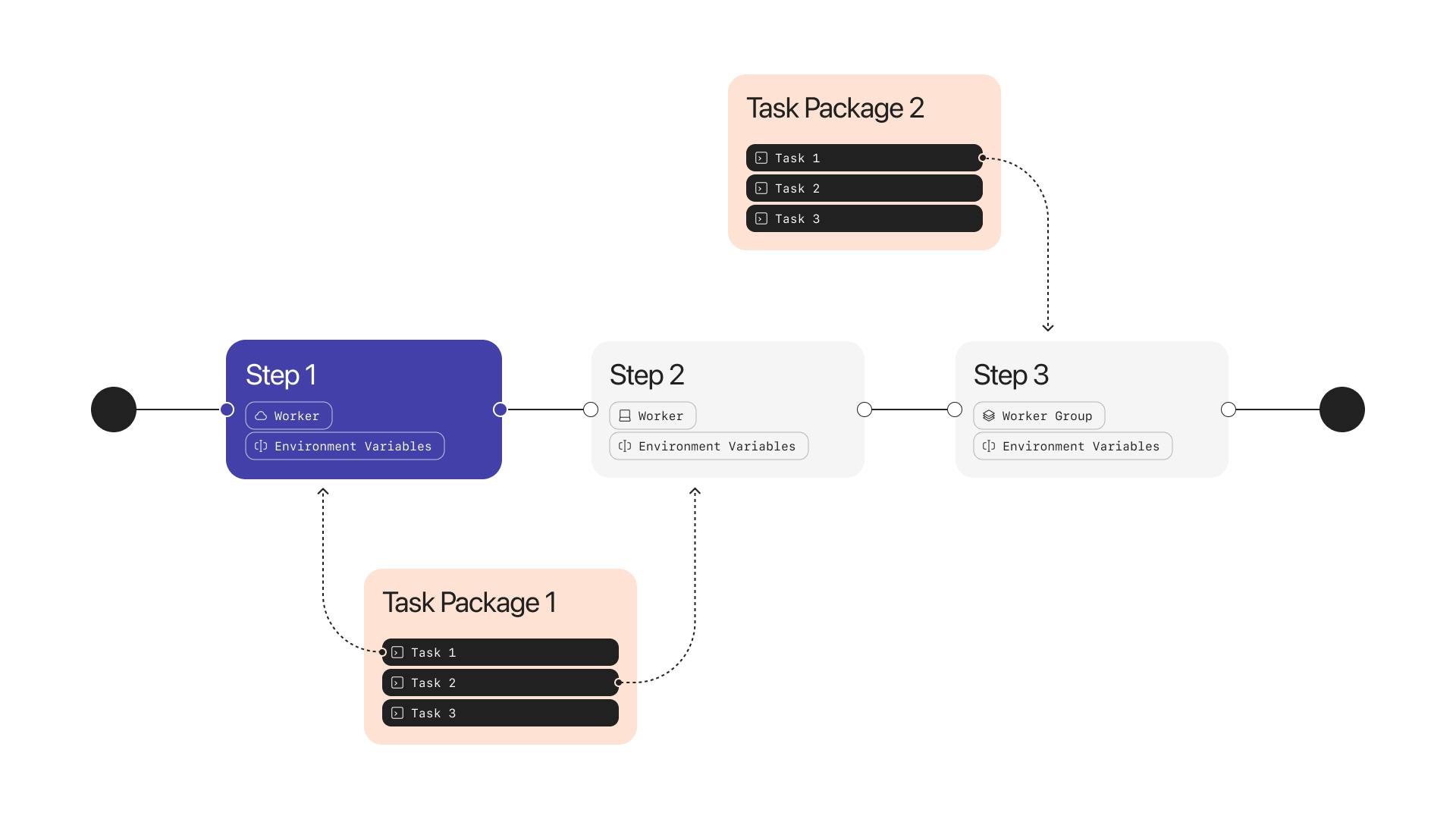
The Robot is now renamed to Task Package, and the UI has been updated to reflect the change.
The functionality of the Task Package is exactly the same as the Robot was but it is now more intuitive in the user experience. E.g. you develop Tasks with the developer tools, package them as a Task Package, add the Task Package to the Control Room, and assign the Tasks to be executed with Workers or Assistants.
New Tasks View
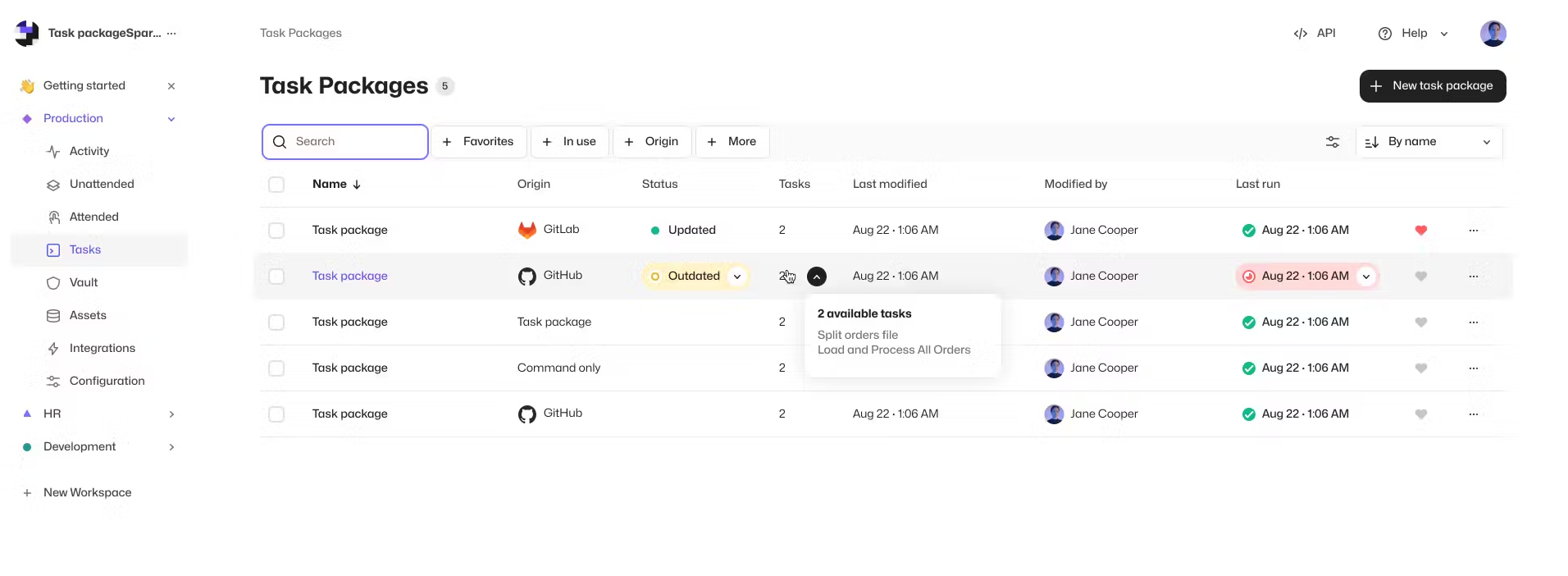
We have redesigned the Tasks view (previously called Robots). The new view is more intuitive to use and provides a broader visibility to your Tasks, where they are used, and how they have been used in Processes and Assistants. This will improve the management of Tasks, especially in scenarios where you have multiple Tasks and Task Packages that are used in different ways along your operations.
Features
- Renaming Robots to Task Packages
- New Tasks View
Updates
- Tables now remember state when exiting and returning to views
- Most of the clickable elements in the Control Room can now be opened in a new tabs
- Owner and Admin users in Organizations with SSO are now able to create Workspaces as a self-service
Worker v7.1.3
NOTE: The major version upgrade was done due to the changes to the interface between the proxy and the executor. This should not require any actions from the user as both the service and executor uses the same executable when setup is done via Robocorp Service Helper or Robocorp Setup Utility.
Updates:
- Support RCC environmentConfigs setting when sending environment configuration file to the Control Room
- Fix issue where too large first artifact blocks sending the rest of the artifacts
- Run quick RCC diagnostics when starting worker
- Always send the console messages via the proxy connector instead directly from the executor
- Simplify the interface between proxy and the executor
- Make the console.txt a DEBUG level log
- Add local timezone offset to the ISO8601 time string in the log event messages detectedAt field
- Add better error message when user requests video streaming but worker configuration has video streaming disabled
- Use Node v18 (latest LTS) to build executable
- Upgrade RCC to v16.5.0
You can find the detailed changelog for Workforce Agent Core here.
🎉 RPA Framework 27.2.0
-
Add regular expression support for RPA.JavaAccessBridge library locators by updating java-access-bridge-wrapper package to the version 1.0.0.
- Update selenium package to the version 4.13.0.
Robocorp Assistant 2.2.2
This update solves an issue where RCC locks would be reported as long paths check failed and would block the application. Now those are no longer reported and the application starts normally.
Solving company firewalls and SSL troubles 🚀
For the past three weeks, we have been working hard on finding a solution to easily use Python and open-source tools inside corporate networks that follow the pattern of man-in-the-middle or Transparent HTTPS firewalls.
Without going into the details, this is what has been causing the different SSL error cases. We've seen many companies switching or updating to this model as providers like PaloAlto, Sophos, Zscaler, etc. are all marketing this functionality.
The first version of a guiding document can be found in our docs-site. All of our templates are now also updated to the required levels.
👉 The call to action is: Update your dependencies This requires Python 3.10 and the specific version of pip that you can find in the docs and templates.

These updates enable Python implementations to use the OS-specific certificate store to validate HTTPS traffic. This should mean that the certificates provided by the firewall are valid, as it is standard practice to have IT update the certificate stores.
We've also worked hard to reduce the number of web domains you need to whitelist in your firewalls. For those using Selenium, the web drivers for the browsers now come via the robocorp.com domain, which cuts some six domains off the list.
In Setup Utility and RCC related to this we have added TLS checks to the diagnostics to help out in finding these cases.
We are not yet done, as there are still open-source tools and cases that do not enable us to fix all cases, but this is a big step forward.
🎉 RPA Framework 27.1.0
- Library RPA.Browser.Selenium (#1091;
rpaframework-core11.2.0): - Reminder: You can disable webdriver-manager SSL checks during downloads by setting
WDM_SSL_VERIFY=falsein the environment.
🎉 rpaframework-google 8.1.0
- Library RPA.Cloud.Google (#1092;
rpaframework-google8.1.0): Add possibility to send HTML email by adding html parameter forSend Messagekeyword.
🎉 RPA Framework 27.0.1
- Library RPA.Robocorp.Storage: Internal fix for the updated asset API upload URL and ability to set the RC_DISABLE_SSL env var in order to disable SSL checks when operating on assets.
🎉 Robocorp Setup Utility v1.1.3
-
Multiple fixes for small issues that bring consistency in functionality and UI/UX
-
New Diagnostic Details Info & Design
-
New version of
RCCwhich brings in TLS & trust chain information to Setup Utility -
This is activated only by a Network Configuration file that contains a
tls-verifyfield -
You can learn more about this from here
-
RCCEmbedded at version16.1.2 -
Service HelperEmbedded at version1.14.2
Download from here and check our documentation here.
Have a splendid day! 🚀
🎉 RPA Framework 27.0.0a0 (in-test experimental alpha release)
- Enables system certificate store usage with
truststoreautomatic injection. Minimum versions for this to happen are Python 3.10.12 andpip23.2.1. (#1083) - Library RPA.Browser.Selenium (#1084;
rpaframework-core11.1.0):- Fixes webdriver caching when attempting previously downloaded executable reuse and latest release version retrieval optimization.
- Use Robocorp controlled secure sources for querying and downloading webdrivers. Base URL to whitelist: https://downloads.robocorp.com/ext/webdrivers/ – set RPA_EXTERNAL_WEBDRIVERS to any value if you want to default to the previously used external sources (#1080)
- Ability to take into use a 64bit webdriver version for IE on a 64bit Windows system by setting RPA_ALLOW_64BIT_IE to any value. (by default the 32bit version is used as that’s the recommendation provided by Selenium)
🎉 RPA Framework 26.1.1
- Library RPA.JavaAccessBridge (#1087): Fix problem with
Select Window By Titlekeyword, which caused all but full title match to fail to select window successfully.
Robocorp Assistant 2.2.1
This update contains:
- Adding a way to disable the auto-updater by adding - as the autoupdater URL
- Update to use RCC v16.1.1
- Bug fix for RCC not injecting environment variables like HTTP_PROXY properly for micromamba process, supporting complex firewall setups with self-signed certificates
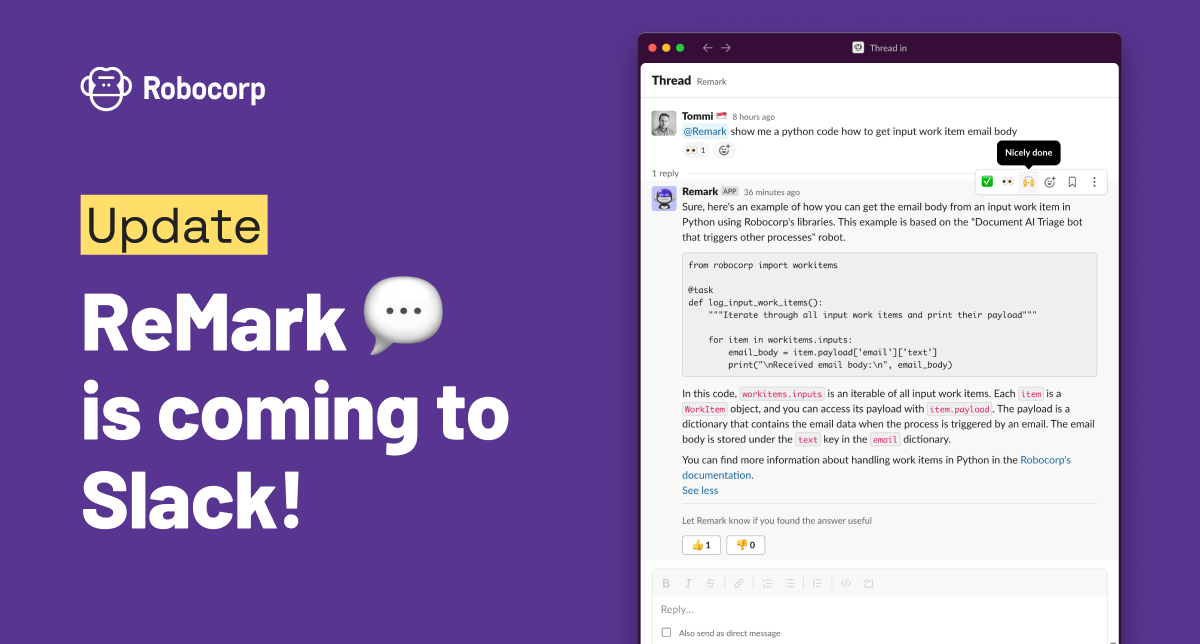
ReMark💬 AI code assistant is coming to Slack
To unify our generative AI-based code assistant experience, we have brought ReMark💬 to the developer Slack community. Join the #ask-remark channel and ask for tips on building bots and operating automations on Robocorp. It knows both Python and Robot Framework.
We are committed to frequently updating ReMark's knowledge and will continue to push the integration deeper into our developer experience. ReMark has only been available through a standalone website. That site will remain as-is, and the Slack ReMark will be an additional way to interact with ReMark.
ReMark will replace the current Kapa app, offering the same user experience. Kapa has been a grand experiment and quickly initiated our journey to the world of generative AI, and we want to thank everyone who has been part of the trial. 🙏
-
#ask-kapa channel has been renamed #ask-remark, and Kapa app has been replaced by ReMark app. No actions are needed from users.
-
Remember to tag @ReMark in your messages and replies so that it knows to react to them.
-
NEW: You can also chat with @ReMark in private. Just find the app from Slack sidebar and start conversing.
-
NEW: There is no five message limit in the conversation length with Remark, as there was with Kapa.
Keep on chatting, and give us feedback! The best way to tell us if ReMark's answers are helpful is to use 👍 and 👎 buttons after replies.
P.S. You'll find the invite to join our developer community in Slack from the top right corner of Robocorp Control Room, under Help. :)
🎉 rpaframework-google 8.0.0
-
Library RPA.Cloud.Google (#1082;
rpaframework-google8.0.0): -
Add new keywords for Google Sheets
Copy spreadsheetCreate spreadsheetDelete sheetGeneric spreadsheet batch updateGet all sheet valuesGet spreadsheet basic informationGet spreadsheet detailsRename sheetTo column letter
-
Repurposed keywords
Copy sheet(now will copy a sheet within a spreadsheet)Create sheet(now will create a sheet within a spreadsheet)
⚠️ Breaking changes in the Sheets keywords. All actions/properties related to a whole spreadsheet will use spreadsheet name and sheet will be used to indicate a single sheet in a spreadsheet. This is to be consistent with Google API naming.
🎉 Robocorp Setup Utility v1.1.1
-
Main Page has been redesigned for a more clean look & for new things to come
-
System Statuspage now includes everything about the environment -
Gathering Service Helper logs in the
Generate Report + Submit Issue -
Remote Desktop Protocol detection is implemented now & a warning will show when adding a new Windows Worker if RDP is not enabled
-
Shared Pre-built Environments (Holotree) integration
-
Enabling at global level only with Admin permissions
-
Enabling/Revoking from Worker Details if state is reachable & enabled at global level
-
Fixed issues with worker update available scenarios
-
UI/UX improvements all across the board
-
OS Detection & presentation in human friendly way
-
Show warning for Long Paths in case of
Windows Server 2016 -
RCCEmbedded at version15.2.0 -
Service HelperEmbedded at version1.14.2
Download from here and check our documentation here (updates will come soon).
Have a splendid day! 🚀