
Release Notes
Robocorp VS Code Extension and Action Server rebranding to Sema4.ai
Since Robocorp was acquired by Sema4.ai in January 2024, we have been busy building the vital components of AI Agents to become generally available. You can read more about our vision for building, running, and managing enterprise AI Agents on our website.
As we gear up for our first Sema4.ai product launches, we have restructured some of the components we previously offered, without removing any features from the current Robocorp Automation platform users.
The Robocorp Code extension for VS Code has become the Sema4.ai extension for VS Code
The new Sema4.ai extension for VS Code retains all the functionality of Robocorp Code. In addition, it will get a lot of new AI agent-related features moving forward.
🔔 Your action is needed! 🔔
-
Remove the Robocorp Code extension from the VS Code. This is done by navigating to Extensions from the left sidebar, locating Robocorp Code, and clicking “Uninstall”.
-
Install the new Sema4.ai Extension from the Marketplace, or by searching for it through the VS Code Extensions panel.
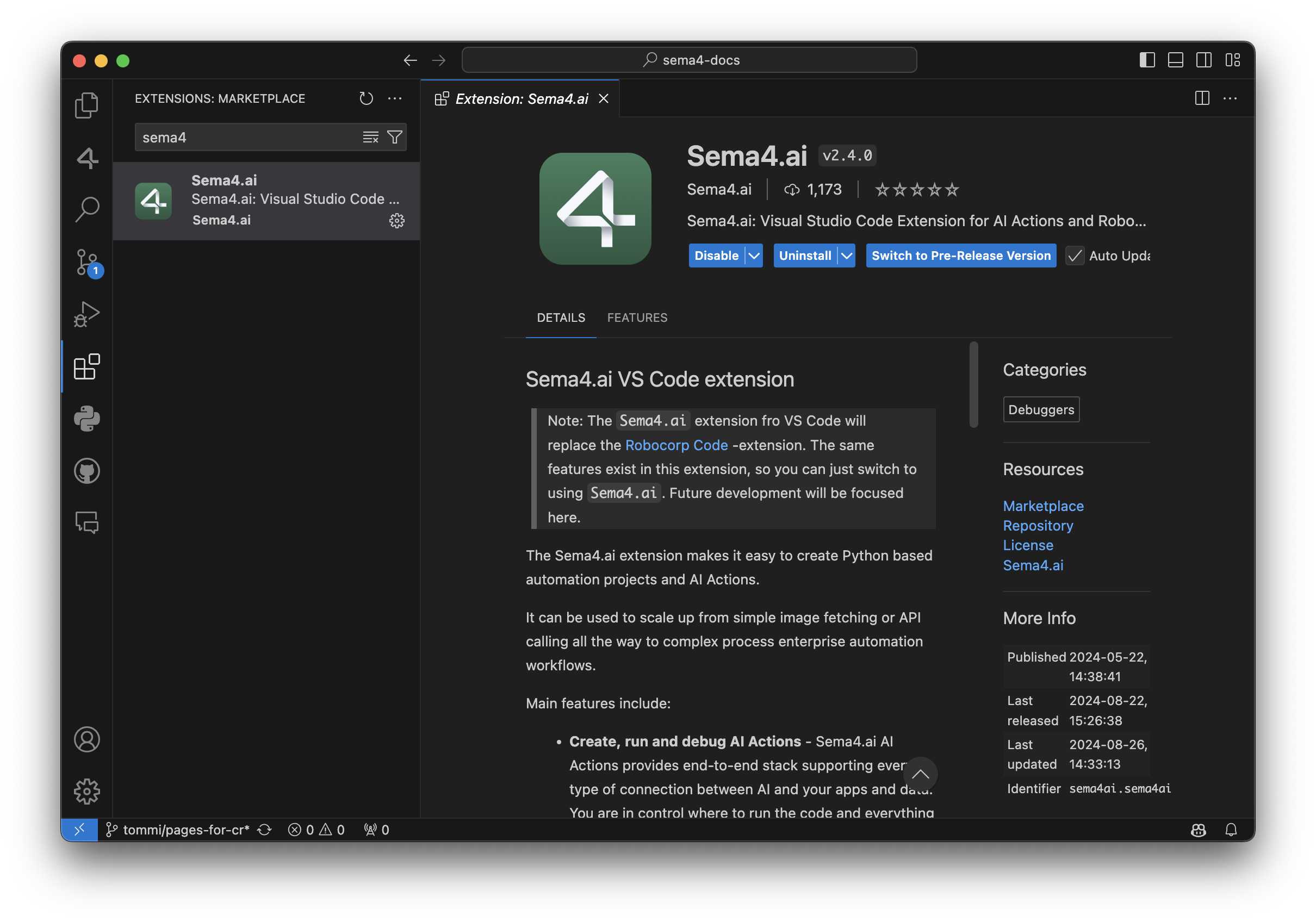
Robocorp Code is deprecated and will not receive any updates after September 30, 2024. Please make sure to install the new Sema4.ai extension by this date. This change has no impact on your current automations deployed to the Control Room - they continue to operate normally.
Apart from supporting everything the automation developer needs for building the Tasks, here are some recent additions:
-
AI Actions complete workflow: from bootstrapping from the provided templates to debugging to publishing them to Sema4.ai Studio.
-
Completely renewed inspectors and recorders for web, Windows, Java and image-based automations. Have a look at the recording of our recent Product Hour Live for all the details.
-
Better environment management when working on Python - when you change any dependencies, it’ll ask if you want to update the environment.
For a detailed list of features, visit the change log.
Rebranding AI Actions and Action Server
Thank you to the community members for the great feedback during the developer preview period. You all helped us shape the Actions and Action Server to be a top-notch method for connecting new capabilities to AI agents.
To prepare for general availability, we have made the following naming changes:
-
AI Actions and Action Server moved from robocorp/robocorp GitHub repository to sema4ai/actions.
-
Renamed Robocorp Action Server to Sema4.ai Action Server.
-
PyPi package changed from robocorp-actions to sema4ai-actions.
This brings slight changes to using the packages, while features remain the same or more.
Working on a Mac, you should remove the old versions and install a new:
In your Action code, the import changes like this:
We have added loads of new features in the Actions and Action Server, and here are some of the most important ones.
-
Hot reload of actions when the package directory changes
-
Support for parsing Custom Types in Action Server UI action run view
-
Console output added to Action Server UI action run view
-
Support OAuth2 secrets as Action arguments, and in the Action Server UI
-
Stable public URL link to Action Server UI if started with
--expose -
Support for action-server package build, extract, metadata, and update (for publishing to future Sema4.ai products)
-
Automatic version handling by the Sema4.ai platform
-
Customizable action display names in openapi.json using
@action(display_name="<Action name>") -
An environment built only once, no longer checked/made pristine on server start to save time
For full details, have a look at the change log in the repository.
Early Access to AI Agents
We are excited to bring you the best of automation and unlock your journey towards AI Agents. To stay updated on the new releases from Sema4.ai, sign up for early access to Sema4.ai Agents here.

ReMark Widget now available inside the documentation
Robocorp ReMark - Generative AI assistant is now available as a widget inside Robocorp Documentation and Portal 🎉
The new widget streamlines your workflow while browsing the documentation. You can get help from ReMark for multiple topics for your automation projects. ReMark can help you generate and debug Python code, tailored for automation use cases. It recognizes the page you are browsing and automatically suggests questions you might be interested in.
Benefits of the ReMark widget
-
Smooth operation while browsing the documentation without the need to jump to a separate page
-
Recognition of the content you are browsing - automatically suggests topics you might be interested in
-
Available instantly when you need it and can be minimized when not needed
-
Easy to continue the conversation at the full page site, your conversations from the widget all land to ReMark.
Check it out e.g. here, the bottom right corner: https://robocorp.com/docs
Connect Action Servers to ReMark
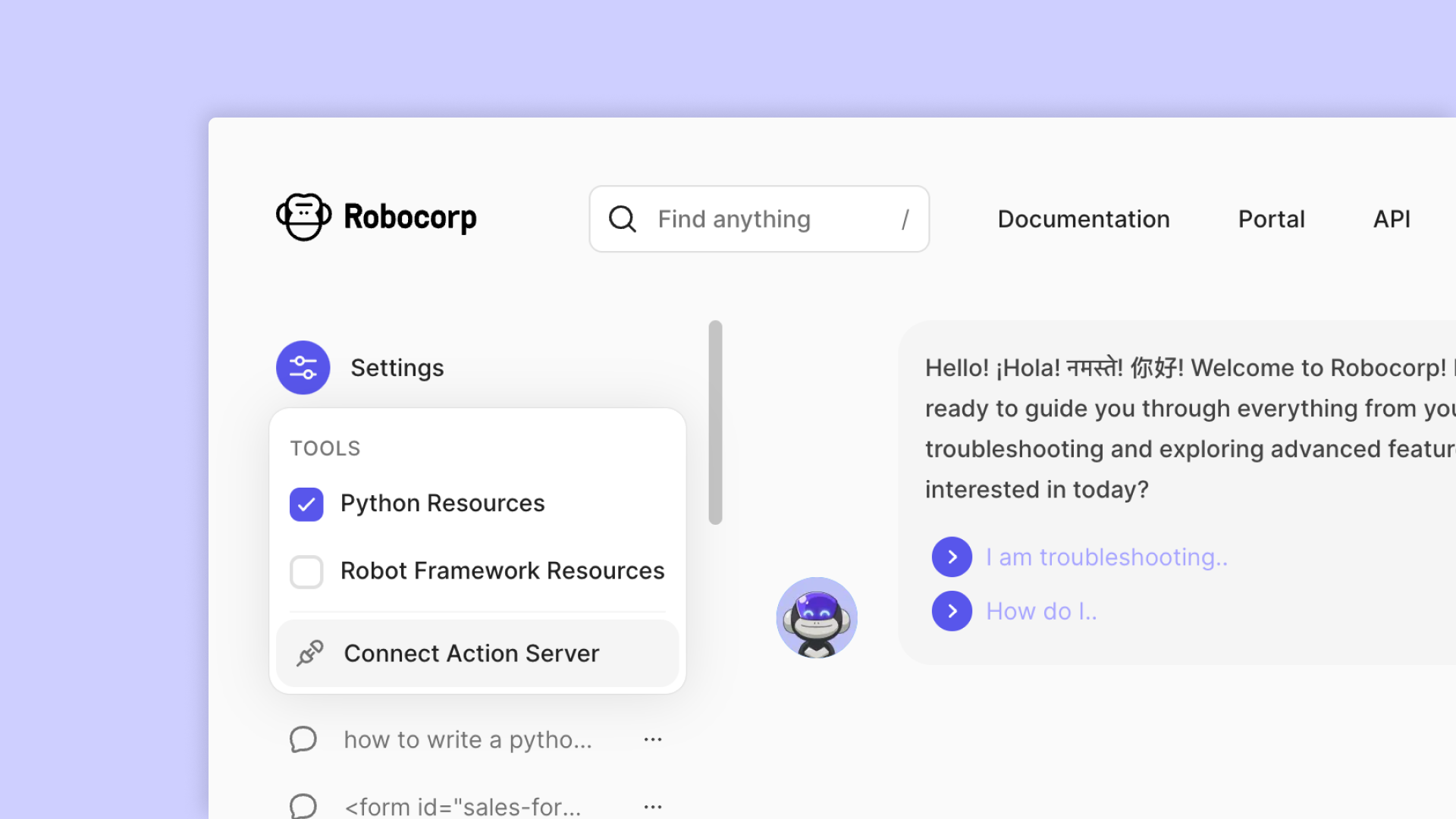
Your friendly code gen assistant ReMark is a bit better again! Apart from tweaks and minor fixes, we’ve done two bigger things, both visible in the screenshot below.
Connect Action Server
Last week, we released the developer preview of Action Server. This new feature allows you to create AI Actions that interact with any data or application and connect them with any AI App and Agent framework, such as GPTs and LangChain.
⭐ Please leave a star to Action Server project in GitHub, and help us keep building open-source!
Testing your AI Actions run with Action Server is now possible with ReMark! Just hit “Connect Action Server”, then copy-paste the exposed URL and bearer token that you’ll get when starting the Action Server with action-server start --expose , and you are good to go! This is a handy way to test things while developing new AI Actions.
Reorganised “tool” collections
Remember that we created separate tools from different source data types, like Python docs, Robot Framework docs, API specs, etc. While moving over to agent/tool architecture has been great, it wasn’t optimal. So we went halfway back. 😎
There are now just two instead of multiple tools (or source data collections). These two highlight the biggest “choice” our users make: whether to build bots on Python or Robot Framework language. The generic source data is replicated on both collections, with the only difference being that they aim to serve you better than before, prioritizing the language (and examples) of your choice.
Features
- Connect Actions Server to ReMark
Updates
- Reorganised RAG data sources to two main collections: Python and Robot Framework
AI Actions and the Action Server Community Release
We're thrilled to introduce a new addition to the Robocorp platform: AI Actions and the Action Server. You can think of AI actions as the connective tissue between AI agents and your applications and data.
These new features are available as a developer preview for the community and are fully open-source under the Apache 2.0 license.
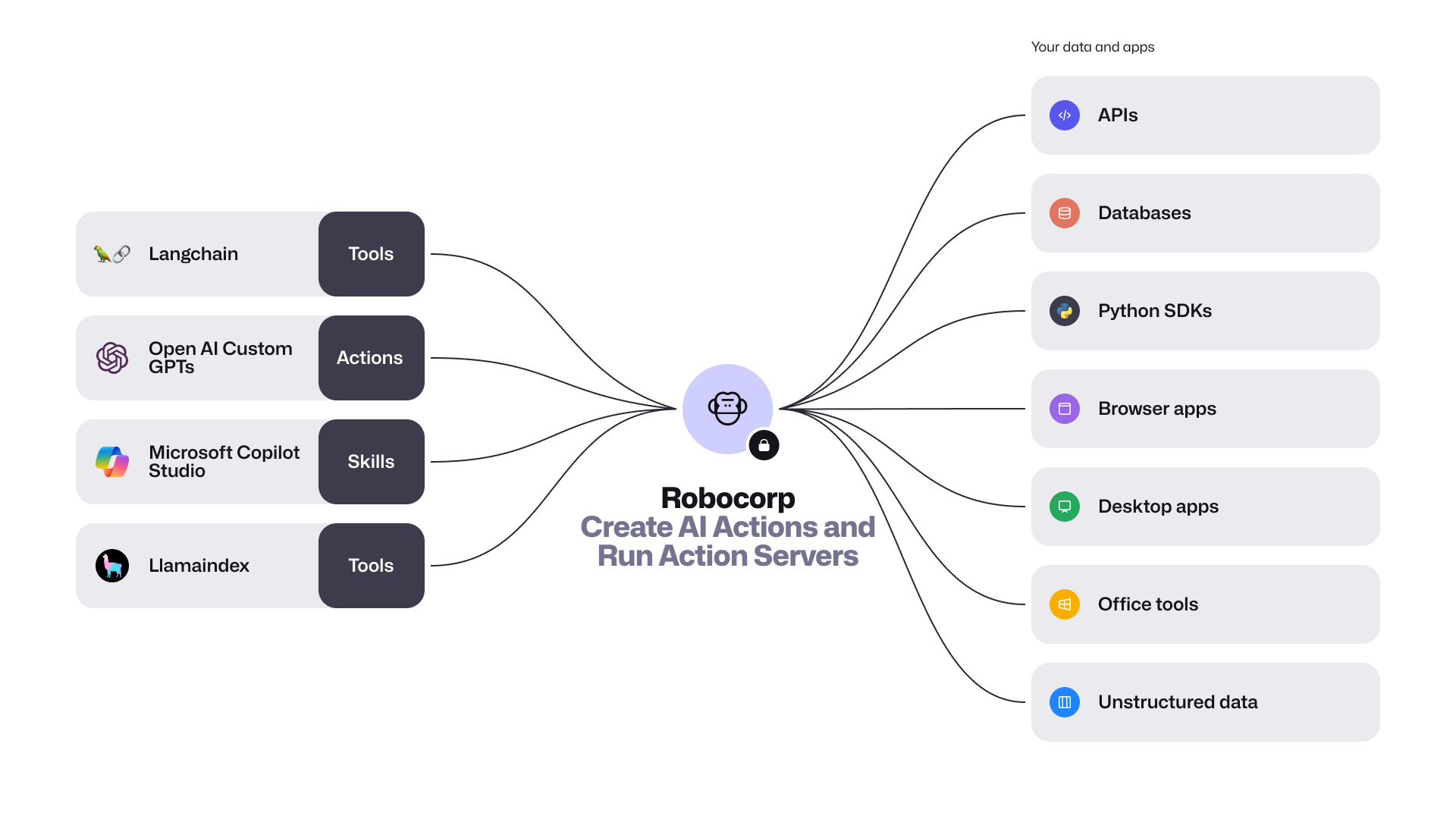
Developers can now create AI Actions that interact with any data or application, along with our low latency Action Server connecting them with any AI App and Agent framework such as GPTs and LangChain.
Given the recent release of the OpenAI GPT Store, and the success of AI app frameworks like LangChain, developers are looking for ways to integrate these with various data sources and platforms. Robocorp provides the easiest way to enable AI agents, assistants, and copilots to use custom actions, all written in Python. It’s easier than building Flask apps, or figuring out how to deploy to Vercel.
The community preview release includes the following:
-
Introducing the new package
robocorp.actionswith@actiondecorator. AI Actions are Python scripts, workflows, or automations that are securely exposed to AI apps. They are defined by their inputs and outputs, and are described in natural language. This makes it easy for AI apps to comprehend and use them. You can conveniently build and debug these actions with the Robocorp Code extension for VS Code. -
Action Server is a stand-alone executable that connects Actions with AI apps. This server automatically generates an OpenAPI specification for your Python code, allowing various AI/LLM Agents to understand and invoke your
@action. It also offers a straightforward local UI for testing and monitoring, handling the full Action lifecycle, and provides comprehensive event traceability during runs. -
LangChain Robocorp Toolkit and a template for quick startup. Extending the AI apps built with LangChain is as simple as one, two, three. The new
langchain-robocorppackage lets you import all your actions into your project effortlessly. -
Revamped Robocorp Github Repository - This is your gateway to AI Actions and open-source Python automation. We've consolidated all the key features into one repository, which includes the Python framework with automated logging, libraries for automating tasks such as browser and desktop applications, and the new Action Server.
It's time to get started! Visit the GitHub repository for more details, and don't forget to leave a ⭐ while you're there.
ReMark goes Turbo
The new OpenAI announcements on their Dev Day blew air into the already blazing AI fire (not to mention their recent leadership musical chairs). Overall, the AI app frameworks develop at an insane rate these days, so we keep re-iterating ReMark💬 to have all the latest bells and whistles. Improvements are not always visible other than “it answers better than before”. This time, we’ve done more - worth a release note.
ReMark uses the new GPT-4 Turbo
We are happy to report that ReMark now uses the new GPT-4 Turbo! To the end users, it shows up immediately as increased speed and fewer situations where the maximum prompt length would be reached.
Now, this is just the beginning, as there is much more we can do with the new model. For example, we expect the new large context window to open up possibilities like “find me all the form elements and their locators from this page”, which previously was tricky due to the limited size of prompts. We are already exploring the new use cases, so stay tuned!
The initial response time is much faster
Apart from the new underlying language model, the architecture also got a complete overhaul. We have felt the first reaction from ReMark took too long. What used to be a simple “RAG” is now a sophisticated tools-based architecture (we are using Langchain, by the way), allowing ReMark to answer much faster than before. It really feels better!
When asking questions from ReMark, you can see which tools ReMark uses and the source data these tools find relevant to your question. Like this:
Putting you in control of the source data
We’ve added a new “Settings” dropdown to the user interface, allowing you to control what data sources ReMark has available to answer your question. By default, they are all on. It looks like this:
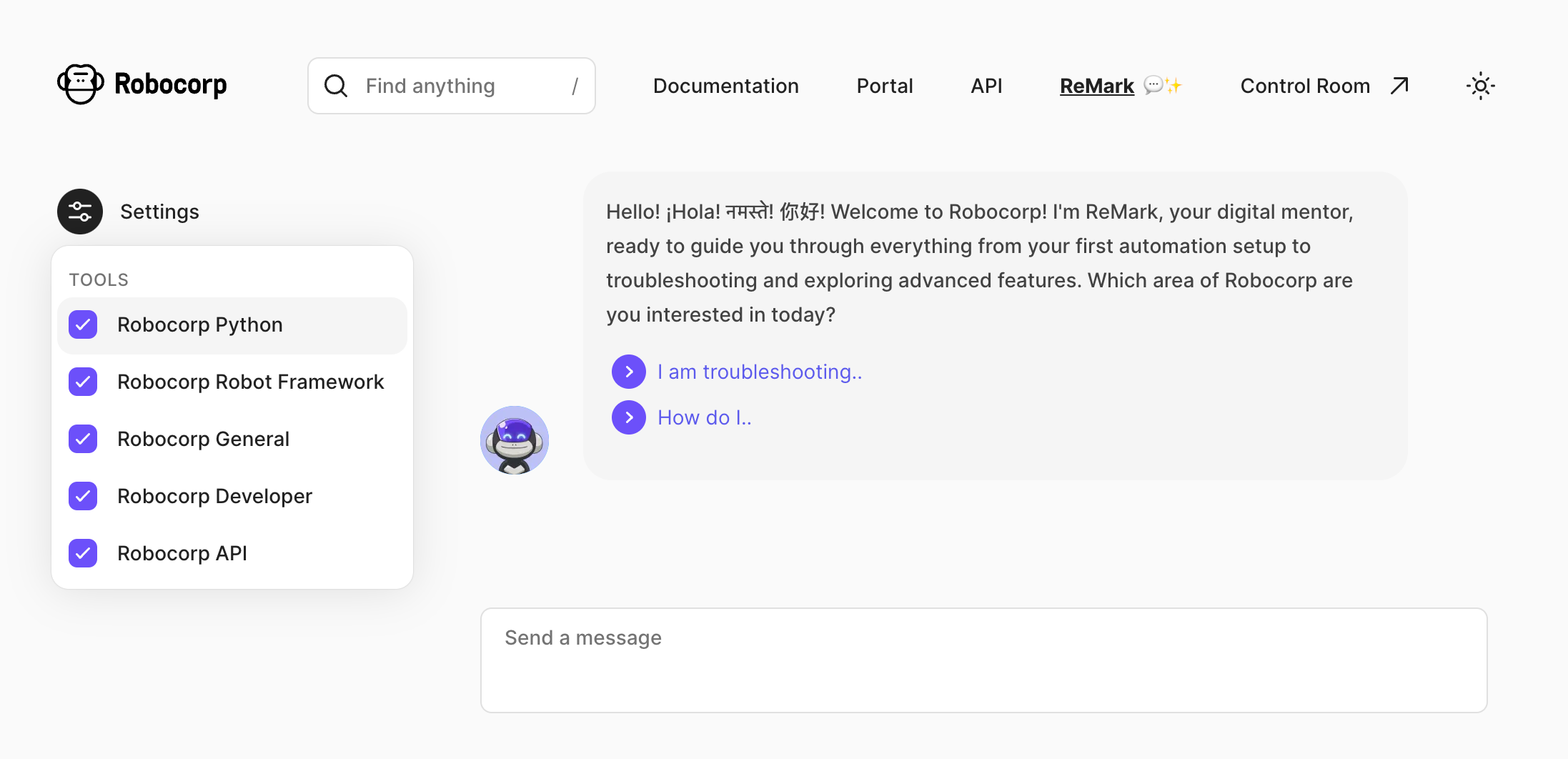
But why? The reason is that the source data ReMark “knows” has already become quite broad, and it’s easy to get mistaken in the nuances. For example, for someone working 100% on Python, it’s useless to feed in Robot Framework built-in keyword documentation.
A user who, for example, only works with Control Room and is not interested in building the bots can drop the irrelevant source “tools” out. Here’s what each tool contains as of writing this:
-
Robocorp Python - Robocorp framework and library docs, Python examples in the Portal, Playwright documentation
-
Robocorp Robot Framework - Robot Framework built-in library docs, RPA Framework library docs, Robot Framework examples in the Portal
-
Robocorp General - Stuff from our website, like blog posts, case studies and the pricing page
-
Robocorp Developer - All the rest of the documentation and developer guides: topics such as operating bots with Control Room and setting up workers.
-
Robocorp API - recently updated Control Room API docs.
In case you are wondering why they all have “Robocorp” in the name, we plan to add 3rd party sources such as docs from the most commonly used Python packages, and why not even let you add your documents?
The new API documentation in the source data
As you already saw in the previous chapter, API documentation is now covered as a separate source. They are unique from the “build bots” use cases that ReMark has been excelling in already for a while, as you might be working on any platform and language. The skills of large-language models shine here.
Try, for example, something like this, and you’ll get working code out:
How do I add a new work item with control room API but not start a process? Want to call it from JavaScript.
Your feedback is vital. Please help us by hitting the 👍 / 👎 emojis in ReMark’s responses to help us know when things are great, especially when things go south. Thank you.
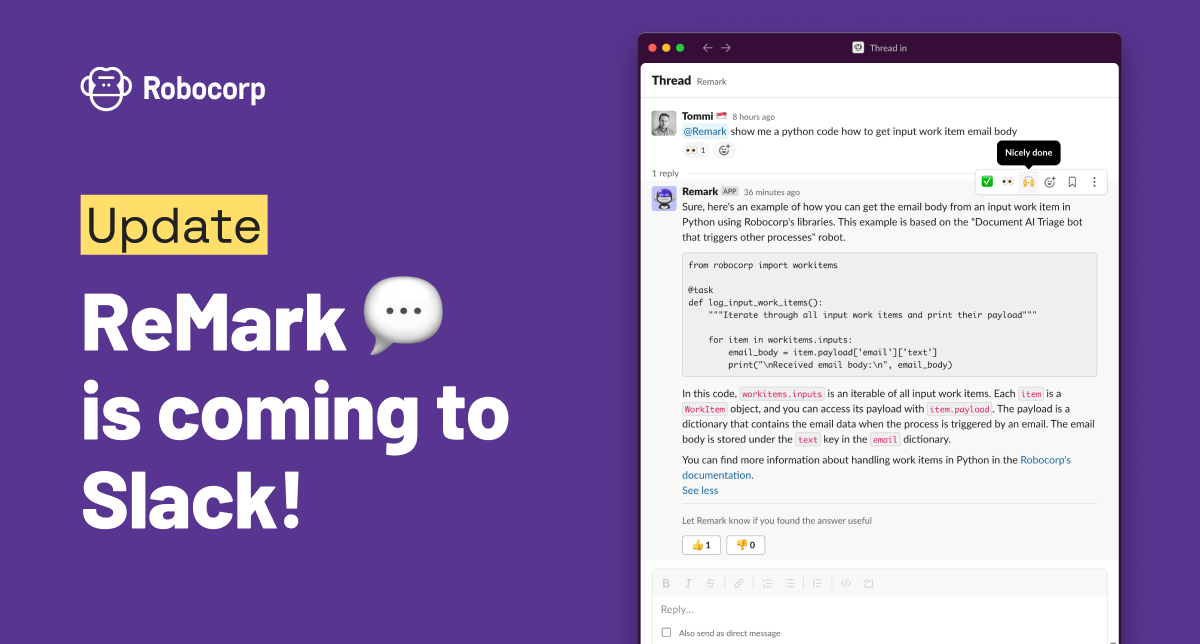
ReMark💬 AI code assistant is coming to Slack
To unify our generative AI-based code assistant experience, we have brought ReMark💬 to the developer Slack community. Join the #ask-remark channel and ask for tips on building bots and operating automations on Robocorp. It knows both Python and Robot Framework.
We are committed to frequently updating ReMark's knowledge and will continue to push the integration deeper into our developer experience. ReMark has only been available through a standalone website. That site will remain as-is, and the Slack ReMark will be an additional way to interact with ReMark.
ReMark will replace the current Kapa app, offering the same user experience. Kapa has been a grand experiment and quickly initiated our journey to the world of generative AI, and we want to thank everyone who has been part of the trial. 🙏
-
#ask-kapa channel has been renamed #ask-remark, and Kapa app has been replaced by ReMark app. No actions are needed from users.
-
Remember to tag @ReMark in your messages and replies so that it knows to react to them.
-
NEW: You can also chat with @ReMark in private. Just find the app from Slack sidebar and start conversing.
-
NEW: There is no five message limit in the conversation length with Remark, as there was with Kapa.
Keep on chatting, and give us feedback! The best way to tell us if ReMark's answers are helpful is to use 👍 and 👎 buttons after replies.
P.S. You'll find the invite to join our developer community in Slack from the top right corner of Robocorp Control Room, under Help. :)
ReMark💬 knowledge update
We've done major updates on ReMark💬 to serve the growing user base better now and in the future.
First and foremost, ReMark💬 now has a personality! We wanted it to be something familiar based on our much-loved Mark the Monkey. ReMark💬 is an alter ego of Mark, equipped with more tech and tapped into all data sources devs need when working on their Robocorp bots. Meet ReMark💬!

The main updates are in the data ingestion and in the responses ReMark💬 gives:
-
We added new data sources to be ingested into ReMark💬 database. The documentation now contains all the contents from Robocorp Docs, including new Python library documents. In addition, we've added the Portal examples.
-
The data ingestion is now implemented as a Robocorp bot (!) and runs daily. So, the knowledge will refresh continuously as we improve our documentation and examples.
-
We reduced the next-best questions to three in the answers, as the previous five took up too much space in the UI.
-
Also, in the answers, ReMark💬 might now point you to the most relevant Portal bots to learn more, not just docs articles.

Under the hood, we've done a complete rehaul of the architecture, gearing up towards integrating ReMark💬 into our other tools and services. For example, we switched the vector database for embeddings from Chroma to pgvector.
You might have noticed a few moments of "Something went wrong" in the past few days, but updates are now done, and things should run much smoother from now on!
ReMark💬 got conversational
Have you tried ReMark💬, our generative AI assistant that helps developers deliver value (bots!) faster? One of the early users said, "Something that used to take me 1 hour to do now takes me 10-15 minutes". Don't miss out on this significant shift in developer productivity. ReMark💬 is available for free here.
The most recent update makes the use of ReMark💬 easier, especially when working on multiple things at the same time. We added conversations. The new left sidebar will keep your conversations in order. As ReMark💬 uses previous messages and responses to answer your questions, remember to hit the "New Chat" button to start fresh when you are changing topics.
Features
- Organise chats with ReMark💬 in conversations
- Rename and delete conversations
- Stop text generation button when ReMark💬 is answering
- Thumbs up and down buttons to give feedback on the quality of answers
Updates
- Better error messages in cases when OpenAI API returns an error
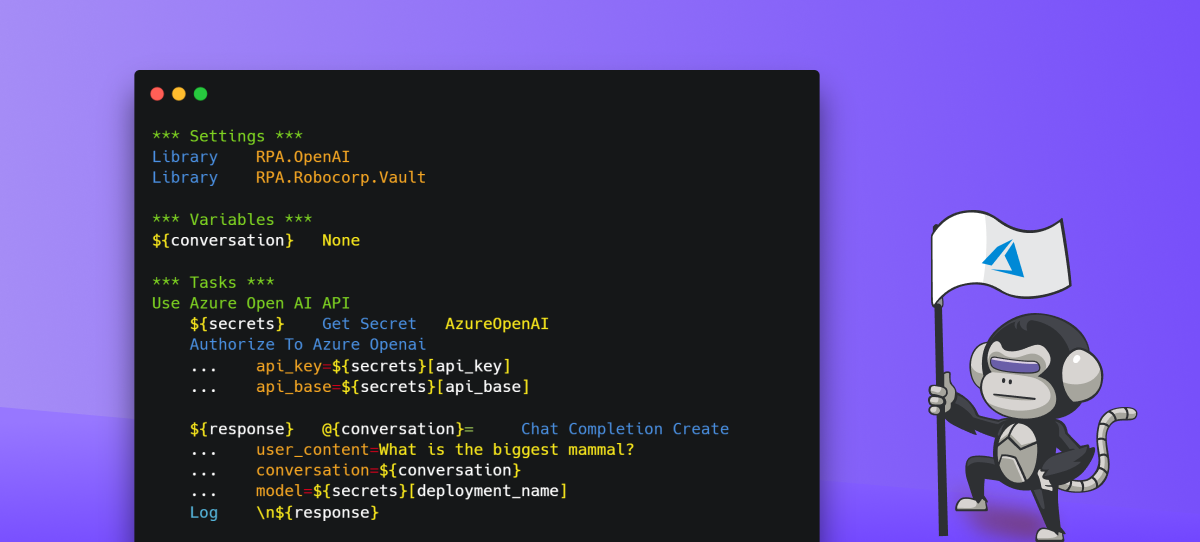
RPA.OpenAI got an Azure support (1.2.0)
Microsoft offers Open AI service from Azure, and now it's easy to use them with Robocorp, too!
This is an appealing alternative, especially for enterprise customers. Using Azure OpenAI, customers get the security capabilities of Microsoft Azure while running the same models as OpenAI. Azure OpenAI offers private networking, regional availability, and responsible AI content filtering. Please note that you must request and set up the Azure Open AI Service yourself before using it from your bots.
The new capabilities are available in the rpaframework-openai package from version 1.2.0 onwards, and by including the RPA.OpenAI library.
Usage is straightforward and follows the same pattern as previously with the Open AI API. Simply authenticate first:
Then off you go with the prompts, just like before.
Have fun LLMing!
🎉 rpaframework 21.1.0
- Library RPA.DocumentAI.Base64AI (#803): Support for signature matching on image documents with the following newly added keywords:
Get Matching Signatures: Detects and returns signatures and their similarity.Filter Matching Signatures: Keeps relevant and alike signatures only.Get Signature Image: Saves signature’s image for manual inspection.- Portal example: https://github.com/robocorp/example-signature-match-assistant
- Global fix with retrieving the output directory path.
🎉 rpaframework 21.0.0
⚠️ Warning
Multiple breaking changes below!
-
Library RPA.Cloud.Azure (#635):
- robocloud_vault_name -> robocorp_vault_name
- use_robocloud_vault -> use_robocorp_vault
Set Robocloud Vault->Set Robocorp Vault
-
Library RPA.Cloud.Google (#794;
rpaframework-google7.0.0):RPA.Robocloud.Secrets->RPA.Robocorp.Vault
-
Library RPA.PDF (#785;
rpaframework-pdf7.0.1):- Keyword
Find Text: - Supports additional parameter ignore_case, which if set to True, will make the search case insensitive. (switch it on if you experience a different behaviour)
- Adds subtext: strategy in the passed locator which checks for a substring instead of the whole text to match.
- Keyword
-
New related Portal example for parsing PDF invoices: https://github.com/robocorp/example-parse-pdf-invoice
🎉 rpaframework 19.0.0
- New Intelligent Document Processing library RPA.DocumentAI, which is a convenient wrapper over the existing libraries:
- RPA.Cloud.Google (needs
rpaframework-googleinstalled) - RPA.DocumentAI.Base64AI (moved from
RPA.Base64AI) - RPA.DocumentAI.Nanonets (moved from
RPA.Nanonets)
- RPA.Cloud.Google (needs
Provides the following generic keywords capable of working with all the engines above:
Init EngineSwitch EnginePredictGet Result
Portal example: GitHub | Portal
 Warning
This is a breaking change! Two DocumentAI related libraries have moved, thus the importing location is changed now:
RPA.Base64AI->RPA.DocumentAI.Base64AIRPA.Nanonets->RPA.DocumentAI.Nanonets