
Control Room: New Tasks View
We are streamlining the terminology across our product stack and have renamed Robots to Task Packages. More in-depth story about the change can be found in the blog post. The change will be at first visible at the Control Room UI and will be rolled to other parts of the Robocorp stack soon. Along with the naming change, we are introducing an updated Tasks view, which will make managing your executable code a breeze.
Renaming Robots to Task Packages
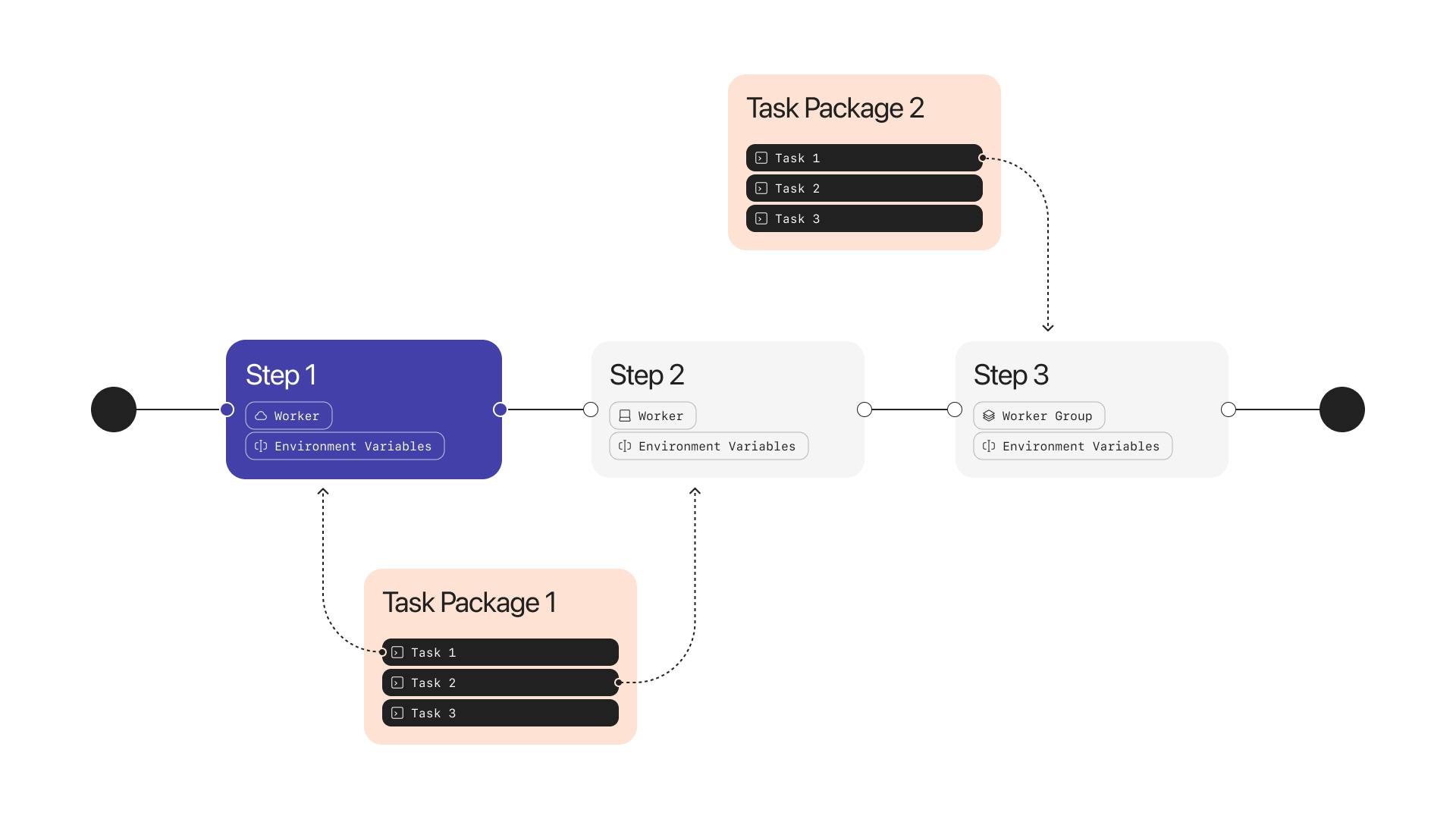
The Robot is now renamed to Task Package, and the UI has been updated to reflect the change.
The functionality of the Task Package is exactly the same as the Robot was but it is now more intuitive in the user experience. E.g. you develop Tasks with the developer tools, package them as a Task Package, add the Task Package to the Control Room, and assign the Tasks to be executed with Workers or Assistants.
New Tasks View
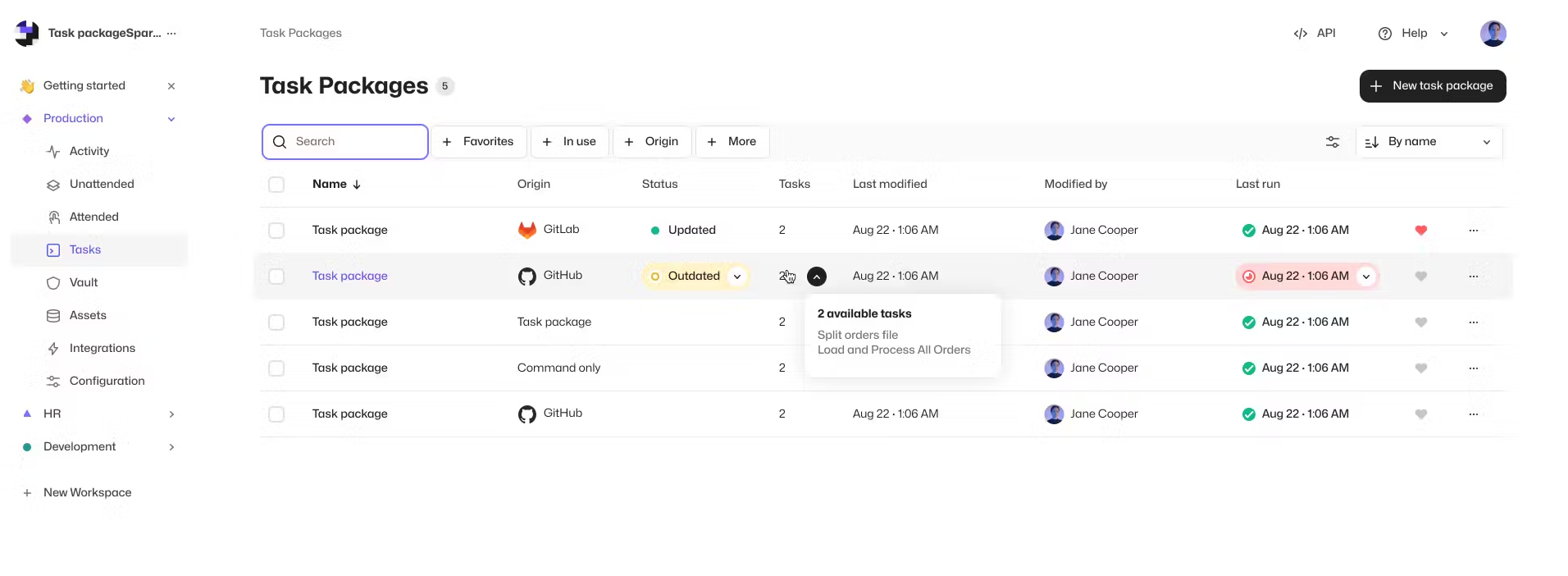
We have redesigned the Tasks view (previously called Robots). The new view is more intuitive to use and provides a broader visibility to your Tasks, where they are used, and how they have been used in Processes and Assistants. This will improve the management of Tasks, especially in scenarios where you have multiple Tasks and Task Packages that are used in different ways along your operations.
Features
- Renaming Robots to Task Packages
- New Tasks View
Updates
- Tables now remember state when exiting and returning to views
- Most of the clickable elements in the Control Room can now be opened in a new tabs
- Owner and Admin users in Organizations with SSO are now able to create Workspaces as a self-service