
New UX & Process Outputs
We are excited to announce our new user experience for the Control Room, which is designed to provide users with a more natural, consistent, and efficient experience. In addition to looking modern, it will help users to stay on top of what is happening in their automated processes, simplifying common usage patterns and speeding up the troubleshooting of exceptions.
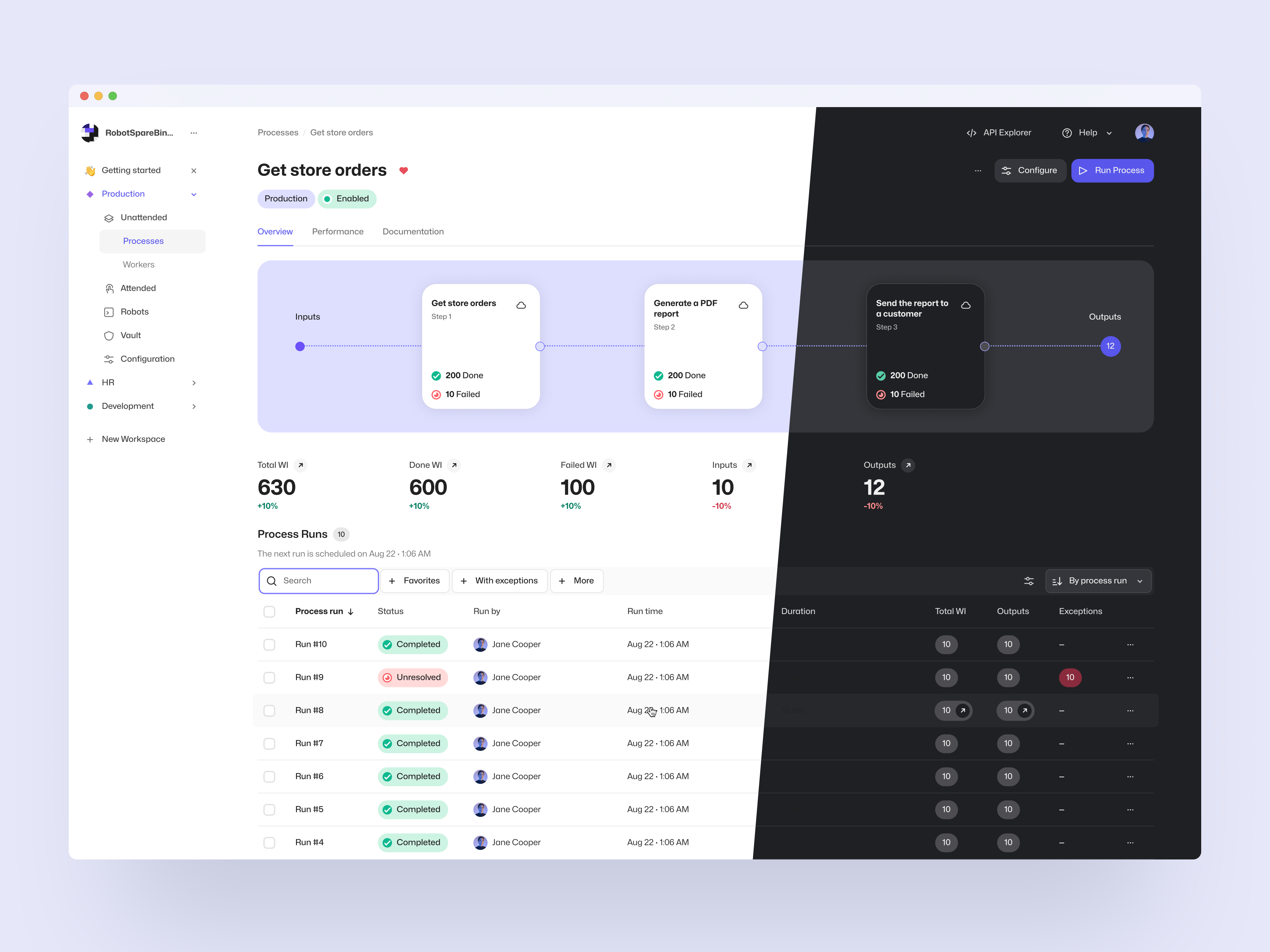
One of the main focus points of the redesign was the unattended automation views, which now visualize the processes giving users better visibility of the process structure and work items, including their processing status. With a few clicks, users are now able to get into the data they need and conveniently perform common actions like looking into the task log, terminating a process run, or retrying multiple failed work items.
Process Output Work Items
As a new feature, we have also introduced Process Outputs. These Output-state work items can be used to store data that is conceptually considered the output of the business process. To utilize them, all you need to do is to create work items from the robot in the last step of the process. They can be accessed via the UI and API in the same way as all other work items, and we will be adding more output-specific functionality in the future to help with e.g. integration use cases.
To go with the new user experience and added features, we have also updated our unattended automation documentation along with examples of how to conveniently use the system, which can be found on the documentation site.
As always, we at Robocorp would be excited to hear what you think of these changes, so feel free to contact us if you have anything in your mind!